Embedding PortmoneDirect bill payment service into customer service banking systems. Technical description
Glossary
| Term | Definition |
|---|---|
| Merchant, Partner | Organization which has signed a payment acceptance agreement with Portmone.com |
| Buyer, Client or Customer | A person who visits the Merchant's Online Store in order to learn about the range of goods (services) and to make a purchase |
| Card, Payment Card | Payment cards of Visa, Mastercard international card associations and the National payment system PROSTIR |
| Authorization | The process of giving access rights or other powers to the Buyer, program or process |
| CVV2/CVC2 | CVV2 (Card Verification Value 2) is a three-digit card security code that helps to verify legitimacy of a Visa payment card. The Mastercard payment system has similar card security code called CVC2 (Card Validation Code 2) |
| Acquiring Bank | A bank that organizes banking cards acceptance points (terminals, ATM’s) and processes full range of financial operations connected with performing bank settlements and payments by banking cards at that points |
| Issuing Bank (Card Issuing Bank) | A bank licensed as a member of a card association (like Visa or Mastercard), that issues and maintains payment cards |
| IBAN | International Bank Account Number |
1. General information
The PortmoneDirect uses Representational State Transfer (REST) technology. Requests and responses are transferred over the HTTPS channel (note that at the moment only TLS 1.2 protocol is supported by the server).
The execution of methods with the required parameters is to be formed on the side of merchant and to be transferred to the Portmone.com server by POST requests.
** Please note ** that all parameters are transferred in the body of the POST request, in no case in the body of the URL. In query examples, the
?sign is specified at the beginning of the string - this is not an indication for the use of GET messages.
Endpoint URL: https://direct.portmone.com.ua/api/directcash/.
Each request must contain two mandatory parameters - login and password (login and password of the reseller company). The login, password and HTTPS certificate should be provided by the Portmone manager.
The response format is XML. UTF-8 encoding is used for data transferring.
The date format is DD.MM.YYYY.
An example of request for bill delivery:
method=bills.create&login=login&password=password&version=2&payeeId=value&contractNumber=value
An example of successful response:
<?xml version="1.0" encoding="utf-8"?>
<rsp status="ok">
[xml-data there]
</rsp>
An example of response in case of an error:
For version 1:
<?xml version="1.0" encoding="utf-8"?>
<rsp status="fail">
    <error code="Error code">Error description</error>
</rsp>
For version 2 and higher:
<?xml version="1.0" encoding="utf-8"?>
<rsp status="fail">
    <error code="Error code">Error description</error>
    <error_description>Detailed error description (protocol version - 2)</error_description>
</rsp>
Protocol
By default, the protocol version is “1”.
If the parameter version = 2 is transferred in the request, additional tags entered for the protocol version “2” become available.
Localization
Optional parameter lang added to the protocol version “2” (possible values are: ru - Russian, uk - Ukrainian, en - English). The parameter localizes attribute values and service names in the response (but not the company name). If the parameter is not passed, the result is returned in Ukrainian.
If you use the protocol version 2 (version = 2) and the values of the lang parameter in the request, the values of <name/> and <*_name/> tags in the <tariff_items> block of the response will be returned localized to the needed language.
For the protocol version 2 (version = 2), the <tariff_items> block of the response does not contain the <name_ua/> and the <name_en/> tags (due to the lang parameter using).
An example of using the lang parameter.
Request:
method=bills.create&payeeId=1755&login=PortmoneDirectTest&password=**************
&version=2&contractNumber=639512625&lang=uk
Response:
<rsp status="ok">
    <bill id="598984149">
        <payee id="1755">lifecell</payee>
        <contractNumber title="Номер телефона (без +380)">639512625</contractNumber>
        <attribute1/>
        <attribute2/>
        <attribute3/>
        <attribute4/>
        <bill_attribute1/>
        <bill_attribute2/>
        <bill_attribute3/>
        <bill_attribute4/>
        <date>21.01.2020</date>
        <description>Рахунок створений автоматично для поповнення балансу</description>
        <amount>0.00</amount>
        <debt>0.00</debt>
        <sum>0.00</sum>
        <status>created</status>
        <paidAmount/>
        <payDate/>
        <payee_export_flag/>
        <auth_code/>
        <transaction_id/>
        <payment_point/>
    </bill>
</rsp>
The <contractNumber title> parameter is localized in Russian.
Description of XML-structure
To study structure of XML-response refer to Attachment 1.
Notifications of Invoice Uploads by Company
Partner notifications are sent after an invoice is uploaded for each company. The partner must provide a URL that can receive a POST request for further processing on their side.
Request examples:
<?xml version="1.0" encoding="UTF-8"?><req name="billsLoaded"><payee id="16020"/></req>

<?xml version="1.0" encoding="UTF-8"?><req name="billsLoaded"><payee id="140264"/><payee id="140235"/></req>
2. Methods
| Method name | Description |
|---|---|
| 2.1. bills.create | this method is used to create a subscription on the Portmone.com side to receive bills for the required company and return the bill ID (billId) |
| 2.2. bills.createByPhone | this method is used to create a bill on the Portmone.com side to add funds to a mobile phone account and return the ID of the payee company (payeeId) and the bill ID (billId) |
| 2.3. bills.createAll | this method is used to get bills from companies issuing several bills for the current month |
| 2.4. bills.pay | this method is used to pay bills |
| 2.5. bills.get | This method is used when you need to get information about a bill. You need to send request l if the method bills.pay received a connection error, received a response of an unexpected format that does not match the protocol. And also if errors p009, p017, p100 are received. |
| 2.6. bills.paymentOrder | this method is used to transfer a list of transactions and payment details of cover payment from bank to the Portmone.com system |
| 2.7. bills.date | this method is used to obtain a control registry of transactions for the period (day) |
| 2.8. bills.exported | this method is used to obtain a control registry of transactions for the period (day), the funds for which were sent to the service provider (biller) |
| 2.9. bills.balance | this method is used to view the current balance of the biller company (PAYEE) |
| 2.10. bills.payees | this method is used to get biller (PAYEE) parameters |
| 2.11. bills.regions | this method is used to obtain a list of available regions and a list of billers (PAYEE) for each region |
| 2.12. bills.additionalPayees | this method is used to get a list of companies for which the client can pay bills |
| 2.13. search.regions | this method is used to obtain a complete list of regions of Ukraine |
| 2.14. search.regionsExtended | this method is used to obtain a list of regions of Ukraine with additional filtering by region name |
| 2.15. search.citiesByRegion | this method is used to get a list of cities for the specified region |
| 2.16. search.citiesByRegionExtended | this method is used to get a list of cities for the specified region with additional filtering by city name |
| 2.17. search.streetsByCity | this method is used to get a list of streets for the specified city |
| 2.18. search.streetsByCityExtended | this method is used to get a list of streets for the specified city with additional filtering by street name |
| 2.19. search.housesByStreet | this method is used to get a list of buildings for the specified street |
| 2.20. search.housesByStreetExtended | this method is used to get a list of buildings for the specified street with additional filtering by building number |
| 2.21. search.apartmentsByHouse | this method is used to obtain a list of apartments by known houseId. For apartment buildings only |
| 2.22. search.apartmentsByHouseExtended | this method is used to obtain a list of apartments by known houseId with additional filtering by apartment number. For apartment buildings only |
| 2.23. search.userDocsByAddress* | this method is used to obtain a list of bills by known houseId (for private houses) or apartmentId (for apartment buildings). Returns bills with the full match by the address |
| 2.24. companies.top10ByRegion* | this method is used to get a list of the TOP 10 companies by regionId (partial match) |
| 2.25. companies.top10ByCity* | this method is used to get a list of the TOP 10 companies by cityId (partial match) |
| 2.26. companies.top10ByStreet* | this method is used to get a list of the TOP 10 companies by streetId (partial match) |
| 2.27. companies.top10ByHouse* | this method is used to get a list of the TOP 10 companies by known houseId (full match for house or partial match for apartment) |
| 2.28. companies.top10ByAddress* | this method is used to get a list of the companies by known houseId (for private houses) or apartmentId (for apartment buildings). Returns bills with the full or partial match by the address |
| 2.29. bills.getreference | this method is used to obtain a list of values of the specified dictionary using the related value from the upper-level dictionary |
| 2.30. bills.update | is a part of method 2.4. bills.pay, is used for update a bill with no change of its status |
| 2.31. bank.params.guaranteeAmount | the method of checking the amount of the guarantee payment for the partner according to the individual login |
| 2.32. bills.recreate | this method to create a copy of a paid invoice |
| 2.33. bills.cancel | this method for canceling payments that are in PAYED status (all versions of the protocol) |
| 2.34. counters.get | мethod for submitting meter readings without payment (for incoming companies) — creating a request |
| 2.35. counters.set | мethod for submitting meter readings without payment (data transmission to the company, readings entered by the customer). |
* How to use companies searching methods
- If only the
regionIdis known, use the companies.top10ByRegion method for searching bills by region- If the
cityIdis known, use the companies.top10ByCity method for searching bills by the specified locality (city)- If the
streetIdis known, use the companies.top10ByStreet method for searching bills for a specified street- If the
houseIdis known, use the companies.top10ByHouse method for searching bills for a specified building- If house has apartments (
hasApartments=Y) andapartment idis known, use the companies.top10ByAddress method (if there is no full match by the address, the method searches for bills by higher steps (by home, street, city, etc.)) or the search.userDocsByAddress method (returns bills with the full match for search parameter).
2.1. Request for bill delivery
Method: bills.create
Description of the method: the result of calling this method is creating a subscription on the Portmone.com side to receive bills for the required company and return the bill ID (billId - unique payment identifier). The answer contains data about the last available unpaid bill. If the company does not provide invoices, the wallet system creates an invoice for 0 amount and returns it to the partner for payment.
Before calling the bills.create method, you need to pay attention to <balance_source> tag value, obtained during the execution of the bills.payees method. If the value is <balance_source>Y</balance_source> for the company, you should use the bills.create method. In other cases call the bills.createAll method.
Method parameters:
| Parameter | Description | Required |
|---|---|---|
| login | Your company login in the Portmone.com system | Yes |
| password | Your company password in the Portmone.com system | Yes |
| method | A name of the method | Yes |
| payeeId | ID of the payee company | Yes |
| contractNumber | The main requisite (identifier) of the client in this company | Yes |
| billNumber | Order number | No |
| attribute1-4 | For additional information | No |
An example of request:
method=bills.create&login=login&password=password&version=2&payeeId=value&contractNumber=value
An example of successful response: see Attachment 1.
An example of response in case of an error:
<?xml version="1.0" encoding="utf-8"?>
<rsp status="fail">
	<error code="Error code">Error description</error>
</rsp>
** Please note: ** invoices that have been issued but not paid may be deleted at the biller's request. If you receive the following payment error:
<error code="o003"><![CDATA[Помилка при оплаті рахунку.]]></error><error_description><![CDATA[Рахунку немає або рахунок вже оплачено.]you should first execute bills.create or bills.createAll, depending on the company's configuration.
2.2. Request for bill delivery by phone number
Method: bills.createByPhone
Description of the method: this method is used to create a bill on the Portmone.com side to add funds to a mobile phone account and return the ID of the payee company (payeeId) and the bill ID (billId).
To pay the bill call the bills.pay method.
Interaction scheme:
- The Client enters the mobile phone number on the Partner's website.
- The Partner sends this data to the Portmone.com using the bills.createByPhone method.
- Portmone.com identifies the ID of the company to which the client’s phone belongs by the mobile network operator code, and sends an XML-message with the ID of the payee company (
payeeId) and the bill ID (billId) to the Partner. - The Partner sends the payment request using the bills.pay method.
- Portmone.com transfers funds to the service provider.
Method parameters:
| Parameter | Description | Required |
|---|---|---|
| login | Your company login in the Portmone.com system | Yes |
| password | Your company password in the Portmone.com system | Yes |
| method | A name of the method | Yes |
| payeeId | ID of the payee company | Yes |
| contractNumber | Phone number to which funds are transferred. Format of the number: 9 digits, without "+380" (for example, 673334411) | Yes |
| billAmount | Amount of payment (default to 0) | No |
| billNumber | Order number | No |
| attribute1-4 | For additional information | No |
An example of request:
method=bills.createByPhone&login=login&password=password&version=2&contractNumber=value&billAmount=value
An example of successful response:
<rsp status="ok">
    <bill id="508828105">
        <payee id="2065">Київстар</payee>
        <contractNumber title="Номер телефону (без +380)">973452341</contractNumber>
        <attribute1/>
        <attribute2 title="Номер квитанції Київстар"/>
        <attribute3/>
        <attribute4/>
        <bill_attribute1/>
        <bill_attribute2/>
        <bill_attribute3/>
        <bill_attribute4/>
        <date>12.06.2019</date>
        <description>Рахунок створений автоматично для поповнення балансу</description>
        <amount>0.00</amount>
        <debt>0.00</debt>
        <sum>0.00</sum>
        <status>created</status>
        <paidAmount/>
        <payDate/>
        <payee_export_flag/>
        <auth_code/>
        <transaction_id/>
        <payment_point/>
    </bill>
</rsp>
An example of response in case of an error:
<?xml version="1.0" encoding="utf-8"?>
<rsp status="fail">
	<error code="Error code">Error description</error>
</rsp>
2.3. Request for delivery of all bills issued for the current month
Method: bills.createAll
Description of the method: to get bills from companies issuing several bills for the current month, use the bills.createAll method. In terms of parameter set, this method is completely identical to the bills.create method.
Method parameters:
| Parameter | Description | Required |
|---|---|---|
| login | Your company login in the Portmone.com system | Yes |
| password | Your company password in the Portmone.com system | Yes |
| method | A name of the method | Yes |
| payeeId | ID of the payee company | Yes |
| contractNumber | The main requisite (identifier) of the client in this company | Yes |
| billNumber | Order number | No |
| attribute1-4 | For additional information | No |
An example of request:
method=bills.createAll&login=login&password=password&version=2&payeeId=value&contractNumber=value
An example of successful response: in case of success, the bills section is returned, containing XML described in Attachment 1 for each of the bills.
<?xml version="1.0" encoding="utf-8"?>
	<rsp status="ok">
		<bills>
			<bill id="id">
			…
			</bill>
			<bill id="id">
			…
			</bill>
			<bill id="id">
			…
			</bill>
		</bills>
	</rsp>
An example of response in case of an error:
<?xml version="1.0" encoding="utf-8"?>
<rsp status="fail">
	<error code="Error code">Error description</error>
</rsp>
Main company and recipient companies:
The Portmone.com system allows you to split a payment, that is, crediting the amount of payment received from the client to several recipients (suppliers of goods or service providers).
Main company is a company that you display to the client when paying for a service/product and indicate in requests for getting bills. Such companies are created, for example, in order to group services provided (e.g. a company with payeeId = 8004 and a company with payeeId = 4568).
Recipient company is an active company that provides a service or a product, but it is not displayed to the client.
When you send a request with payeeId of main company, the bills.createAll method returns you bills with the payeeId of recipient companies for which payments will be made.
2.4. Bill payment
Method: bills.pay
Description of the method: performs debiting of funds on the client's payment card.
In the event that the service debt_state <> 'E', then the corresponding debt should not be taken into account in the total amount of payment on the account
Method parameters:
| Parameter | Description | Required |
|---|---|---|
| login | Your company login in the Portmone.com system | Yes |
| password | Your company password in the Portmone.com system | Yes |
| method | A name of the method | Yes |
| billId | Bill ID. The value returned by the bills.create method (or by the bills.createByPhone method in case of a mobile phone replenishment) | Yes |
| amount | Amount for payment by order (it may differ from the one proposed in the bill) | Yes |
| auth_code | Payment instruction date in DD.MM.YYYY format | Yes |
| transaction_id | Transaction ID | Yes |
| payment_point | Unique description of a partner sales point | Yes |
| payer_iban or payer_card_number or payer_phone_number | the sender's iban, who initiates the transfer, takes the value of 29 characters ------------------------------------------------------------------------------ The card, the sender, who initiates the transfer, takes the value of 16 digits ------------------------------------------------------------------------------ Payer's phone number in the format | Yes |
| first_name | Customer's first name | Yes |
| last_name | Customer's last name | Yes |
| middle_name | Customer's middle name (patronymic) | Yes |
| taxId | Customer's Tax ID or passport series and number | Yes |
| payment_notes | ayment description displayed by the partner on the customer's receipt | Yes |
| ultimate_debtor_name | Full name of the actual payer | Yes, the parameter can be either empty or populated |
| ultimate_debtor_taxId | Tax ID of the actual payer or passport series and number | Yes, the parameter can be either empty or populated |
An example of request for company without items:
https://direct.portmone.com.ua/api/directcash?version=1&method=bills.pay&login=PORTMONEDIRECTTEST&password=PortmoneDirect&payment_point&billId=2390133292&amount=5&auth_code=30.06.2026&transaction_id=transaction id&first_name=value&last_name=value&middle_name=value&birth_date&taxId=1111111111&payer_iban&payer_card_number&payer_phone_number&ultimate_debtor_name=value&ultimate_debtor_taxId=AA111111&payment_notes=value
An example of successful response:
<?xml version="1.0" encoding="utf-8"?>
<rsp status="ok">
    <bill id="2390133292">
        <payee id="2065">Київстар</payee>
        <contractNumber title="Номер телефону (без +380) ">991111111</contractNumber>
        <attribute1 />
        <attribute2 title="Номер квитанцii Київстар">P</attribute2>
        <attribute3 />
        <attribute4 />
        <bill_attribute1 />
        <bill_attribute2 />
        <bill_attribute3 />
        <bill_attribute4 />
        <date>03.07.2026</date>
        <description>Рахунок створений автоматично для поповнення балансу</description>
        <amount>0.00</amount>
        <debt>0.00</debt>
        <sum>0.00</sum>
        <status>paid</status>
        <paidAmount>5.00</paidAmount>
        <payDate>03.07.2026 08:57:11</payDate>
        <payee_export_flag>N</payee_export_flag>
        <auth_code>30.06.2026</auth_code>
        <transaction_id>transaction id</transaction_id>
        <payment_point>PORTMONEDIRECTTEST</payment_point>
        <bill_attribute10 />
    </bill>
</rsp>
If payer_iban and payer_card_number are missing, the system will return an error
An example of response in case of an error:
<rsp status="fail">
  <error code="р013">Incorrect customer identification parameters</error>
  <error_description>Incorrect customer identification parameters</error_description>
</rsp>
Exception: For non-cash payments, payer information is mandatory for each transaction, except for utility payments. For cash payments, payer information (full name and tax identification number) is not mandatory if the transaction amount is less than UAH 5,000. However, the payer's unique identifier (which may be a mobile phone number, payer_phone_number), the payment instruction date, the payment purpose, and the full name of the actual payer is mandatory.
2.5. Information about a bill
Method: bills.get
Description of the method: This method is used when you need to get information about a bill. You need to send request l if the method bills.pay received a connection error, received a response of an unexpected format that does not match the protocol. And also if errors p009, p017, p100 are received. Method parameters:
| Parameter | Description | Required |
|---|---|---|
| login | Your company login in the Portmone.com system | Yes |
| password | Your company password in the Portmone.com system | Yes |
| method | A name of the method | Yes |
| billId | Bill ID (the value returned by the bills.create method) | Yes |
An example of request:
method=bills.get&login=login&password=password&version=2&billId=value
An example of successful response: see Attachment 1.
An example of response in case of an error:
<?xml version="1.0" encoding="utf-8"?>
<rsp status="fail">
	<error code="Error code">Error description</error>
</rsp>
2.6. Transactions list
Method: bills.paymentOrder
Description of the method: the registry is transferred by the bank to Portmone.com to control the payments which were sent and to generate the necessary control registries to each organization using the required protocol. Contains a list of transactions and payment details of cover payment.
Method parameters:
| Parameter | Description | Required |
|---|---|---|
| login | Your company login in the Portmone.com system | Yes |
| password | Your company password in the Portmone.com system | Yes |
| method | A name of the method | Yes |
| xml | Registry in XML format | Yes |
An example of registry in XML format:
<?xml version="1.0" encoding="utf-8"?>
<payment_order order_date="DD.MM.YYYY" order_number="Number of payment order"
payee_id="ID of the payee company" total_amount="Amount of payments accepted"
total_compensation="Amount of compensations of payment order"
total_commission="Amount of commissions of payment order" trx_count="2">
	<transactions>
		<trx>
			<bill_id>Bill ID</bill_id>
			<trx_amount>Transaction amount</trx_amount>
			<compensation>Amount transferred to biller</compensation>
		</trx>
		<trx>
			<bill_id>Bill ID</bill_id>
			<trx_amount>Transaction amount</trx_amount>
			<compensation>Amount transferred to biller</compensation>
		</trx>
	</transactions>
</payment_order>
Where total_commission – the amount of the commissions of all transactions of the payment order, total_compensation – the amount of compensation for all transactions of this payment order. For each transaction (<trx>) commission = trx_amount - compensation.
An example of successful response:
<?xml version="1.0" encoding="utf-8"?>
<rsp status="ok">
	<paymentOrder>
		<record id="value"/>
	</paymentOrder>
</rsp>
Successful response – fields description:
| Parameter | Description |
|---|---|
| record id | Payment ID in the Portmone.com system that recorded this message |
An example of response in case of an error:
<?xml version="1.0" encoding="utf-8"?>
<rsp status="fail">
	<error code="Error code">Error description</error>
</rsp>
Please note: if the transactions list for a date has not been transferred for any reason (communication timed out, an error message received from the PortmoneDirect system, etc.), this transactions list must be transferred to the next communication session along with the list for the current date.
2.7. Control registry of transactions
Method: bills.date
Description of the method: the method is used to obtain a control registry of transactions for a period (day). Required to control passed / non-passed transactions.
Method parameters:
| Parameter | Description | Required |
|---|---|---|
| login | Your company login in the Portmone.com system | Yes |
| password | Your company password in the Portmone.com system | Yes |
| method | A name of the method | Yes |
| date | Date for which the registry is displayed. Format: DD.MM.YYYY | Yes |
An example of request:
method=bills.date&login=login&password=password&version=2&date=DD.MM.YYYY
An example of successful response:
<?xml version="1.0" encoding="utf-8"?>
<rsp status="ok">
	<bills>
		<bill id="value">
			<name>Short name of the recipient company</name>
			<contractNumber title="value">value</contractNumber>
			<attribute1 title="value">value</attribute1>
			<attribute2 title="value">value</attribute2>
			<attribute3 title="value">value</attribute3>
			<attribute4 title="value">value</attribute4>
			<bill_attribute1>value</bill_attribute1>
			<bill_attribute2>value</bill_attribute2>
			<bill_attribute3>value</bill_attribute3>
			<bill_attribute4>value</bill_attribute4>
			<status>value</status>
			<transaction_id>value</transaction_id>
			<paidAmount>value</paidAmount>
			<payDate>DD.MM.YYYY HH:mm:ss</payDate>
			<payee_export_date>DD.MM.YYYY HH:mm:ss</payee_export_date>
			<payee_export_flag>value</payee_export_flag>
			<bank_commission>value</bank_commission>
			<payee_id>value</payee_id>
		</bill>
	</bills>
</rsp>
Successful response – fields description:
| Parameter | Description |
|---|---|
| bill id | Bill ID (для транзакції устатусі RETURN, bill id набуває нового унікального значення) |
| сontractNumber title | Number of contract |
| status | Transaction status on the Portmone.com side. Possible values: PAYED, RETURN |
| transaction_id | The identifier assigned to the transaction by the partner bank (transferred when calling the bills.pay method). For transactions with RETURN status will take on the original transaction ID value (charge-off) |
| paidAmount | Amount of payment |
| payDate | Date of payment |
| payee_export_date | Date of funds transfer to the service provider |
| payee_export_flag | Transfer status (possible values: Y, N, R, E) |
| bank_commission | Bank remuneration in UAH (protocol version – 2). The parameter may takes both positive and negative values |
| name | Name of the recipient company |
| payee_id | A unique company identifier (protocol version – 3) |
An example of response in case of an error:
<?xml version="1.0" encoding="utf-8"?>
<rsp status="fail">
	<error code="Error code">Error description</error>
</rsp>
An example of a transaction response in the RETURN status:
<bill id="1367371577"> - unique bill id upon return
<name>lifecell</name>

<contractNumber title="Phone number (without +380)">667678994</contractNumber>

<attribute1/>

<bill_attribute1/>

<attribute2/>

<bill_attribute2/>

<attribute3/>

<bill_attribute3/>

<attribute4/>

<bill_attribute4/>

<status>RETURN</status> - return status

<paidAmount>-5.00</paidAmount> - return amount, a negative value

<payDate>28.03.2023 16:04:01</payDate> - payment date

<transaction_id>1367371282</transaction_id> - bill ID of the original transaction for which the return was made

<payee_export_date>28.03.2023 16:04:01</payee_export_date> - return date and time

<payee_export_flag/>

<bank_commission>-0.50</bank_commission>
2.8. Control registry of funds transferred to the service provider
Method: bills.exported
Description of the method: the method is used to obtain a control registry of transactions for a period (day), the funds for which were sent to the service provider (biller). Required to control the binding of funds.
Method parameters:
| Parameter | Description | Required |
|---|---|---|
| login | Your company login in the Portmone.com system | Yes |
| password | Your company password in the Portmone.com system | Yes |
| method | A name of the method | Yes |
| payeeId | Company ID | Yes |
| date | Date for which the registry is displayed. Format: DD.MM.YYYY | Yes |
An example of request:
method=bills.exported&login=login&password=password&version=2&payeeId=value&date=DD.MM.YYYY
An example of successful response:
<?xml version="1.0" encoding="utf-8"?>
<rsp status="ok">
	<bills>
		<bill id="value">
			<contractNumber title="value">value</contractNumber>
			<attribute1 title="value">value</attribute1>
			<attribute2 title="value">value</attribute2>
			<attribute3 title="value">value</attribute3>
			<attribute4 title="value">value</attribute4>
			<bill_attribute1>value</bill_attribute1>
			<bill_attribute2>value</bill_attribute2>
			<bill_attribute3>value</bill_attribute3>
			<bill_attribute4>value</bill_attribute4>
			<status>value</status>
			<transaction_id>value</transaction_id>
			<paidAmount>value</paidAmount>
			<payDate>DD.MM.YYYY HH:mm:ss</payDate>
			<payee_export_date>DD.MM.YYYY HH:mm:ss</payee_export_date>
			<payee_export_flag>value</payee_export_flag>
		</bill>
	</bills>
</rsp>
Successful response – fields description:
| Parameter | Description |
|---|---|
| bill id | Bill ID |
| сontractNumber title | Number of contract |
| status | Transaction status on the Portmone.com side. Possible values: PAYED, RETURN |
| transaction_id | The identifier assigned to the transaction by the partner bank (transferred when calling the bills.pay method). For transactions with RETURN status will take of the original transaction ID value (charge-off) |
| paidAmount | Amount of payment |
| payDate | Date of payment |
| payee_export_date | Date of funds transfer to the service provider |
| payee_export_flag | Transfer status (possible values: Y, N, R, E) |
An example of response in case of an error:
<?xml version="1.0" encoding="utf-8"?>
<rsp status="fail">
	<error code="Error code">Error description</error>
</rsp>
2.9. Request for data on the reseller company balance
Method: bills.balance
Description of the method: this method is used to view the current balance of the biller company (PAYEE).
Method parameters:
| Parameter | Description | Required |
|---|---|---|
| login | Your company login in the Portmone.com system | Yes |
| password | Your company password in the Portmone.com system | Yes |
| method | A name of the method | Yes |
| payeeId | ID of the company for which the balance is requested | Yes |
An example of request:
method=bills.balance&login=login&password=password&version=2&payeeId=value
An example of successful response:
<?xml version="1.0" encoding="UTF-8"?>
<rsp status="ok">
	<payee id="value">
		<balance>value</balance>
	</payee>
</rsp>
Successful response – fields description:
| Parameter | Description |
|---|---|
| payee id | ID of the company for which the balance is requested |
| balance | The balance of the company |
An example of response in case of an error:
<?xml version="1.0" encoding="utf-8"?>
<rsp status="fail">
	<error code="Error code">Error description</error>
</rsp>
2.10. Request for information on available biller companies
Method: bills.payees
Description of the method: the method is used to get biller* (PAYEE) parameters. By default, all data on available companies at the current moment is downloaded. When adding the optional LastUpdateDate parameter, only data that has had any changes since the specified date.
When adding the additional parameter LastUpdateDate and deleted with the value on at the same time, only the company is deactivated starting from the date in the parameter LastUpdateDate
*from among those for whom payment terminals have been established for this login.
Method parameters:
| Parameter | Description | Required |
|---|---|---|
| login | Your company login in the Portmone.com system | Yes |
| password | Your company password in the Portmone.com system | Yes |
| method | A name of the method | Yes |
| LastUpdateDate | Date from which any changes were made. Format: DD.MM.YYYY | No |
| deleted | Deactivated companies | No |
An example of request:
1. method=bills.payees&login=login&password=password&version=2
2. method=bills.payees&login=логін&password=пароль&version=2&lastUpdateDate=DD.MM.YYYY
3. method=bills.payees&login=логін&password=пароль&version=2&lastUpdateDate=DD.MM.YYYY&deleted=on
Successful response structure:
<?xml version="1.0" encoding="UTF-8"?>
<rsp status="ok">
    <payee id="value">
        <header_payee> Used by some partners </header_payee>
        <merchant> Used by some partners </merchant>
        <terminal> Used by some partners </terminal>
        <name> Short name of the recipient company (for menu items)</name>
        <name_in_check> Legal name of the recipient company </name_in_check>
        <image_file> Link to company logo </image_file>
        <contact_info> The contact person </contact_info>
        <zkpo> EDRPO code of the company </zkpo>
        <bank_name> Bank name of the recipient company </bank_name>
        <bank_code> MFO of the bank of the recipient company </bank_code>
        <bank_account> Account number or IBAN of the recipient company bank
        </bank_account>
        <contract_number_title> Name of the 1st contract detail </contract_number_title>
        <contract_number_type> Type of the 1st contract detail (N - numeric; C - string;
        P – payment card; R, L - hierarchical dictionary) </contract_number_type>
        <related_references>
                <reference id="Dictionary ID" order_number="Order number">
                    Dictionary name</reference>
        </related_references>
        <contract_number_size> Size of the 1st contract detail </contract_number_size>
        <contract_number_hint> Hint to the client for entering the first contract detail
        </contract_number_hint>
        <contract_number_mask> Input mask for the first contract detail
        </contract_number_mask>
        <attributes>
	        <attribute1>
		        <title> Attribute name </title>
		        <type> Attribute type (N - numeric; C - character; D - data;
                    R, L - hierarchical dictionary) </type>
   		        <size> Maximum size </size>
                <related_references>
                        <reference id="Dictionary ID" order_number="Order number">
                            Dictionary name</reference>
                </related_references>
	        </attribute1>
	        <attribute2>
		        <title> Attribute name </title>
		        <type> Attribute type (N - numeric; C - character; D - data;
                    R, L - hierarchical dictionary) </type>
		        <size> Maximum size </size>
                <related_references>
                        <reference id="Dictionary ID" order_number="Order number">
                            Dictionary name</reference>
                </related_references>
	        </attribute2>
	        <attribute3>
		        <title> Attribute name </title>
		        <type> Attribute type (N - numeric; C - character; D - data;
                    R, L - hierarchical dictionary) </type>
		        <size> Maximum size </size>
                <related_references>
                        <reference id="Dictionary ID" order_number="Order number">
                            Dictionary name</reference>
                </related_references>
	        </attribute3>
	        <attribute4>
		        <title> Attribute name </title>
		        <type> Attribute type (N - numeric; C - character; D - data;
                    R, L - hierarchical dictionary) </type>
		        <size> Maximum size </size>
                <related_references>
                        <reference id="Dictionary ID" order_number="Order number">
                            Dictionary name</reference>
                </related_references>
	        </attribute4>
	    </attributes>
	    <min_pay_amount> The size of the minimum payment </min_pay_amount>
	    <pay_round_amount> Whether to allow payments with kopecks (Y - only whole sums,
        N - allow sums with kopecks) </pay_round_amount>
	    <pay_different_amount> Whether to allow payment with the amount different from
        that obtained in the bill (Y, N) </pay_different_amount>
	    <payee_group_id> ID of the type of services provided by biller </payee_group_id>
	    <payee_group_name> Type of services provided by biller </payee_group_name>
	    <bill_source> The company allows payment of bills (Y, N) (payment by
        invoices) </bill_source>
	    <balance_source> The company allows the replenishment of the balance (Y, N)
       (payment without invoice) </balance_source>
	    <pay_order_description_format> Pay order description format
        </pay_order_description_format>
	    <billing_day> Date of loading bills(protocol version – 2) </billing_day>
	    <max_pay_amount> Maximum payment amount(protocol version – 2) </max_pay_amount>
	    <bank_tariff> Bank remuneration, which must be converted to a percentage
        (protocol version  – 2) </bank_tariff>
        <bank_tariff (value with minus)>FC reward to be converted into interest
            (protocol version  – 2)</bank_tariff>
	    <bank_amount> Portmone remuneration in UAH (protocol version – 2) </bank_amount>
	    <min_bank_amount> The minimum amount of the Portmone remuneration from each
        transaction, in UAH (protocol version – 2) </min_bank_amount>
        <min_bank_amount (value with minus)>Not used (protocol version – 2)</min_bank_amount>
	    <max_bank_amount> Currently not used (protocol version – 2) </max_bank_amount>
	    <bank_deduction> Currently not used (protocol version – 2) </bank_deduction>
	    <bank_deduction_amount> Remuneration of the bank, which is held by the bank before
        sending coverage. This value must be converted to percentage
        (protocol version – 2) </bank_deduction_amount>
	    <min_bank_deduction_amount> Currently not used (protocol version – 2)
        </min_bank_deduction_amount>
	    <max_bank_deduction_amount> Currently not used (protocol version – 2)
        </max_bank_deduction_amount>
        <hide> Recipient company that is not displayed to clients
            (protocol version - 2)</hide>
        <payee_groups>
            <payee_group id="1001">Type of services provided by biller: Mobile Communication</payee_group>
            <payee_group id="1003">Type of services provided by biller: Internet</payee_group>
            <payee_group id="1006">Type of services provided by biller: telephony</payee_group>
        </payee_groups> (protocol version – 3)
		 <payee_group_name> name of the group to which the service belongs </payee_group_name> (protocol version – 2 or more)
		 <service_in_check> the name of the service for the receipt </service_in_check> (protocol version – 2 or more)

    </payee>
…
</rsp>
Note!
The<hide>parameter:
<hide>N</hide>- the main (front) company, designed to display the service for the client
<hide>Y</hide>- hidden service, hidden when displayed for the client
The parameter<image_file>must be analyzed only for the main (cap) companies on which `N `` is passed. The URL of the source from where the logo can be downloaded is specified in image_file.
Parameter<pay_different_amount>Whether to allow payment for an amount different from that received in the account (Y, N) (protocol version – 1)</pay_different_amount>
Important! in the absence of "universal" items (passed in thetariff_itemsarray) in the response to the bills.create/bills.createAll method (protocol version - 2 and more)</pay_different_amount>is analyzed by<pay_different_amount>
Dictionaries
For fields attribute1_type, attribute2_type, attribute3_type, attribute4_type, contract_number_type, values R and L are possible.
This means that the corresponding fields attribute1, attribute2, attribute3, attribute4, contract_number have a complex data type and the values of these fields must be formed on the basis of hierarchical directories.
That is, if any of the attribute1_type, attribute2_type, attribute3_type, attribute4_type, contract_number_type fields is either R or L, you must call bills.getreference method with the appropriate parameters to obtain the end hierarchy level and find the identifier / value of the dictionary item.
After that, use the bills.create method to create the bill with correct payment details. Use the identifier of the dictionary item (<item id>) obtained for the end dictionary level (for R-type field) or value (<name>) of the dictionary item (for L-type field) and send them at the appropriate request field (attribute1, attribute2, attribute3, attribute4, contract_number).
An example of the R-type dictionary:
<contract_number_type>R</contract_number_type>
<related_references>
	<reference id="1180" order_number="1">
    		Регіон:
	</reference>
	<reference id="1183" order_number="2">
    		Найменування отримувача:
	</reference>
	<reference id="4308" order_number="3">
    		Населений пункт/район:
	</reference>
</related_references>
where:
<related_references> – describes a hierarchy of dictionaries;
<reference id> – a unique dictionary identifier in the Portmone.com system (integer);
<reference order_number="1"> – dictionary sequence number in the hierarchy (ascending; integer);
<reference></reference> – name of the current dictionary level for the client (string).
For the L-type dictionary, the response will look the same, except for the value of the contract_number_type parameter.
Examples of using dictionaries are give in Section 5 "Examples" (Using R-type dictionaries, Using L-type dictionaries).
An example of successful response:
<?xml version="1.0" encoding="UTF-8"?>
<rsp status="ok">
        ...
        <payee id="23782">
        <header_payee>1185</header_payee>
            <merchant>X</merchant>
            <terminal>X</terminal>
            <name>Єдиний податок з фіз. осіб підприємців</name>
            <name_in_check>Платежі до бюджету</name_in_check>
            <image_file>https://cdn-images.portmone.com.ua/company/128_128/9974.png</image_file>
            <contact_info></contact_info>
            <zkpo>00032129</zkpo>
            <bank_name>АТ «Ощадбанк»</bank_name>
            <bank_code>300465</bank_code>
            <bank_account>29240000087016</bank_account>
            <contract_number_title>Управление казначейства</contract_number_title>
            <contract_number_type>R</contract_number_type>
            <related_references>
                <reference id="1180" order_number="1">Регіон:</reference>
                <reference id="1183" order_number="2">Найменування отримувача:</reference>
                <reference id="4308" order_number="3">Населений пункт/район:</reference>
            </related_references>
            <contract_number_size>4308</contract_number_size>
            <attributes>
                <attribute1>
                    <title>ІПН</title>
                    <type>N</type>
                    <size/>
                </attribute1>
                <attribute2>
                    <title>За період</title>
                    <type>L</type>
                    <size>4311</size>
                    <related_references>
                        <reference id="4310" order_number="1"parent_value="attribute1">Групи дитячіх садочків м. Київ</reference>
                        <reference id="4311" order_number="2 parent_value="attribute2">Вихованці дитячіх садочків м. Київ</reference>
                    </related_references>
                </attribute2>
                <attribute3>
                    <title>Період</title>
                    <type>N</type>
                    <size/>
                </attribute3>
                <attribute4>
                    <title>ФИО</title>
                    <type>C</type>
                    <size/>
                </attribute4>
            </attributes>
            <min_pay_amount>1</min_pay_amount>
            <pay_round_amount>N</pay_round_amount>
            <pay_different_amount>N</pay_different_amount>
            <payee_group_id>1100</payee_group_id>
            <payee_group_name>Податки, платежі до бюджету</payee_group_name>
            <bill_source>N</bill_source>
            <balance_source>Y</balance_source>
            <pay_order_description_format>(_____) Покриття по транзакцiям сплати рахункiв
                через систему Portmone.com згiдно договору ____вiд____ на суму___
                (_____) - код банку)</pay_order_description_format>
        </payee>
        ...
    </rsp>
parent_value- an optional parameter, passed in case the parent company uses linked dictionaries.header_payee- parameter for binding companies, passed only in the response to the bills.payees method. Indicates to which main company the current payee id belongs. The parameter exists only for protocol versions – 2, 3. For main companies, this field will be empty.
Please note When money transfer document contains two payment details (account number of the recipeient company bank and MFO of the bank), MFO of recipient's bank is transferred in the
bank_codefield. When the IBAN account number is used in payment details, a "0" (zero) is transferred in thebank_codefield.Recipient's bank account number or IBAN of a recipient (depending on payment details filled out in money transfer document) is transferred in the
bank_accountfield. Note that not only numbers but also letters will be contained in this field, according to the IBAN format (29 alphanumeric characters).The
merchantparameter will be transferred to Payany if the company provides services without a direct agreement.
An example of response in case of an error:
<?xml version="1.0" encoding="utf-8"?>
<rsp status="fail">
	<error code="Error code">Error description</error>
</rsp>
2.11. Request for information on biller companies in the context of regions
Method: bills.regions
Description of the method: the method is used to obtain a list of available* regions and a list of billers (PAYEE) for each region.
*from among those for whom payment terminals have been established for this login.
Method parameters:
| Parameter | Description | Required |
|---|---|---|
| login | Your company login in the Portmone.com system | Yes |
| password | Your company password in the Portmone.com system | Yes |
| method | A name of the method | Yes |
An example of request:
method=bills.regions&login=login&password=password&version=2
An example of successful response:
<?xml version="1.0" encoding="UTF-8"?>
<rsp status="ok">
   <regions>
	<region id="value">
	   <name>Name of the region (for example, Kyiv)</name>
	   <payees>
		<payee id="value">
		  <name>Company name (for example, VOLIA Broadband, Kyiv)</name>
		</payee>
		…
	   </payees>
	</region>
	…
   </regions>
</rsp>
An example of response in case of an error:
<?xml version="1.0" encoding="utf-8"?>
<rsp status="fail">
	<error code="Error code">Error description</error>
</rsp>
2.12. Request for companies providing bills for a client, by a previously received bill
Method: bills.additionalPayees
Description of the method: this method is used to get a list of companies for which the client can pay bills. After a client has received the requested bill, you can request a list of companies and client IDs in these companies that provide services at the same address. If the returned list is not empty, you can offer a client to choose companies whose bills they want to pay and request these bills using the standard method. Companies search is carried out at the client's address.
Method parameters:
| Parameter | Description | Required |
|---|---|---|
| login | Your company login in the Portmone.com system | Yes |
| password | Your company password in the Portmone.com system | Yes |
| method | A name of the method | Yes |
| billId | Bill ID (the value returned by the bills.create method) | Yes |
An example of request:
method=bills.additionalPayees&login=login&password=password&version=2&billId=value
An example of successful response:
<?xml version="1.0" encoding="utf-8"?>
<rsp status="ok">
	<payee id="ID of the company whose bill can be offered to the client">
	   <contract_number> client’s ID in this company </contract_number>
	   <attribute1> additional client’s identifier in this company	</attribute1>
	   <attribute2> additional client’s identifier in this company	</attribute2>
	   <attribute3> additional client’s identifier in this company	</attribute3>
	   <attribute4> additional client’s identifier in this company	</attribute4>
	</payee>
</rsp>
An example of response in case of an error:
<?xml version="1.0" encoding="utf-8"?>
<rsp status="fail">
	<error code="Error code">Error description</error>
</rsp>
2.13. Request for information about regions
Method: search.regions
Description of the method: this method is used to obtain a complete list of regions of Ukraine.
Method parameters:
| Parameter | Description | Required |
|---|---|---|
| login | Your company login in the Portmone.com system | Yes |
| password | Your company password in the Portmone.com system | Yes |
An example of request:
method=search.regions&login=login&password=password&version=2
An example of successful response:
<?xml version="1.0" encoding="utf-8"?>
<rsp status="ok">
    <regions>
        <region id="44">
	        <name>м. Київ</name>
	        <orderIndex>1</orderIndex>
        </region>
        <region id="45">
	        <name>Київська область</name>
	        <orderIndex>2</orderIndex>
        </region>
        <region id="34">
            <name>Івано-Франківська область</name>
            <orderIndex>3</orderIndex>
        </region>
        <region id="43">
            <name>Вінницька область</name>
            <orderIndex>4</orderIndex>
        </region>
        <region id="33">
            <name>Волинська область</name>
            <orderIndex>5</orderIndex>
        </region>
        <region id="56">
            <name>Дніпропетровська область</name>
            <orderIndex>6</orderIndex>
        </region>
        <region id="62">
            <name>Донецька область</name>
            <orderIndex>7</orderIndex>
        </region>
        <region id="41">
            <name>Житомирська область</name>
            <orderIndex>8</orderIndex>
        </region>
        <region id="31">
            <name>Закарпатська область</name>
            <orderIndex>9</orderIndex>
        </region>
        <region id="61">
            <name>Запорізька область</name>
            <orderIndex>10</orderIndex>
        </region>
        <region id="52">
            <name>Кіровоградська область</name>
            <orderIndex>11</orderIndex>
        </region>
        <region id="64">
            <name>Луганська область</name>
            <orderIndex>12</orderIndex>
        </region>
        <region id="32">
            <name>Львівська область</name>
            <orderIndex>13</orderIndex>
        </region>
        <region id="51">
            <name>Миколаївська область</name>
            <orderIndex>14</orderIndex>
        </region>
        <region id="48">
            <name>Одеська область</name>
            <orderIndex>15</orderIndex>
        </region>
        <region id="53">
            <name>Полтавська область</name>
            <orderIndex>16</orderIndex>
        </region>
        <region id="36">
            <name>Рівненська область</name>
            <orderIndex>17</orderIndex>
        </region>
        <region id="54">
            <name>Сумська область</name>
            <orderIndex>18</orderIndex>
        </region>
        <region id="35">
            <name>Тернопільська область</name>
            <orderIndex>19</orderIndex>
        </region>
        <region id="57">
            <name>Харківська область</name>
            <orderIndex>20</orderIndex>
        </region>
        <region id="55">
            <name>Херсонська область</name>
            <orderIndex>21</orderIndex>
        </region>
        <region id="38">
            <name>Хмельницька область</name>
            <orderIndex>22</orderIndex>
        </region>
        <region id="47">
            <name>Черкаська область</name>
            <orderIndex>23</orderIndex>
        </region>
        <region id="37">
            <name>Чернівецька область</name>
            <orderIndex>24</orderIndex>
        </region>
        <region id="46">
            <name>Чернігівська область</name>
            <orderIndex>25</orderIndex>
        </region>
    </regions>
</rsp>
An example of response in case of an error:
<?xml version="1.0" encoding="utf-8"?>
<rsp status="fail">
	<error code="Error code">Error description</error>
</rsp>
2.14. Request for information about regions (with a filter by region name)
Method: search.regionsExtended
Description of the method: this method is used to obtain a list of regions of Ukraine with additional filtering by region name.
Method parameters:
| Parameter | Description | Required |
|---|---|---|
| login | Your company login in the Portmone.com system | Yes |
| password | Your company password in the Portmone.com system | Yes |
| searchQuery | Substring for filtering by name (specify the part of region name, from 3 characters) | Yes |
An example of request:
method=search.regions&login=login&password=password&version=2&searchQuery=filter
An example of successful response:
<?xml version="1.0" encoding="utf-8"?>
<rsp status="ok">
    <regions>
        <region id="44">
            <name>м. Київ</name>
            <orderIndex>1</orderIndex>
        </region>
        <region id="45">
            <name>Київська область</name>
            <orderIndex>2</orderIndex>
        </region>
    </regions>
</rsp>
An example of response in case of an error (if searchQuerry is not specified):
<?xml version="1.0" encoding="utf-8"?>
<rsp status="fail">
    <error code="p019">
    <![CDATA[ Server error while processing the request ]]>
    </error>
    <error_description>
    <![CDATA[ search.regionsExtended p019 ]]>
    </error_description>
</rsp>
2.15. Request for information about cities in the region
Method: search.citiesByRegion
Description of the method: this method is used to get a list of cities for the specified region.
Method parameters:
| Parameter | Description | Required |
|---|---|---|
| login | Your company login in the Portmone.com system | Yes |
| password | Your company password in the Portmone.com system | Yes |
| regionId | ID of the region obtained using the search.regions method or the search.regionsExtended method | Yes |
An example of request:
method=search.citiesByRegion&login=login&password=password&version=2®ionId=regionID
An example of successful response:
<?xml version="1.0" encoding="utf-8"?>
<rsp status="ok">
    <cities>
	    <city id="12">
	        <name>м. Бровари</name>
	        <orderIndex>8</orderIndex>
	        <regionId>45</regionId>
	    </city>
    ...
    </cities>
</rsp>
Pay attention! The
city idparameter in the response may take negative values
An example of response in case of an error:
<?xml version="1.0" encoding="utf-8"?>
<rsp status="fail">
    <error code="p022">
    <![CDATA[ Incorrect param regionId (citiesByRegion) ]]>
    </error>
    <error_description>
    <![CDATA[ search.citiesByRegion p022 ]]>
    </error_description>
</rsp>
2.16. Request for information about cities in the region (with a filter by city name)
Method: search.citiesByRegionExtended
Description of the method: this method is used to get a list of cities for the specified region with additional filtering by city name.
Method parameters:
| Parameter | Description | Required |
|---|---|---|
| login | Your company login in the Portmone.com system | Yes |
| password | Your company password in the Portmone.com system | Yes |
| regionId | ID of the region obtained using the search.regions method or the search.regionsExtended method | Yes |
| searchQuery | Substring for filtering by city name, from 3 characters | Yes |
An example of request:
method=search.citiesByRegionExtended&login=login&password=password&version=2®ionId=
regionID&searchQuery=filter
An example of successful response:
<?xml version="1.0" encoding="utf-8"?>
<rsp status="ok">
    <cities>
        <city id="147">
            <name>с. Киданівка</name>
            <orderIndex>404</orderIndex>
            <regionId>45</regionId>
        </city>
        <city id="1912">
            <name>с. Кийлів</name>
            <orderIndex>405</orderIndex>
            <regionId>45</regionId>
        </city>
        <city id="-11929">
            <name>с. Кип'ячка</name>
            <orderIndex>406</orderIndex>
            <regionId>45</regionId>
        </city>
        <city id="215">
            <name>с. Кирдани</name>
            <orderIndex>407</orderIndex>
            <regionId>45</regionId>
        </city>
        <city id="-11931">
            <name>с. Кириївщина</name>
            <orderIndex>408</orderIndex>
            <regionId>45</regionId>
        </city>
        <city id="239">
            <name>с. Кислівка</name>
            <orderIndex>409</orderIndex>
            <regionId>45</regionId>
        </city>
        <city id="78">
            <name>с. Кищинці</name>
            <orderIndex>410</orderIndex>
            <regionId>45</regionId>
        </city>
    </cities>
</rsp>
Pay attention! The
city idparameter in the response may take negative values
An example of response in case of an error:
<?xml version="1.0" encoding="utf-8"?>
<rsp status="fail">
	<error code="Error code">Error description</error>
</rsp>
2.17. Request for information about the city streets
Method: search.streetsByCity
Description of the method: this method is used to get a list of streets for the specified city.
Method parameters:
| Parameter | Description | Required |
|---|---|---|
| login | Your company login in the Portmone.com system | Yes |
| password | Your company password in the Portmone.com system | Yes |
| cityId | ID of the city obtained using the search.citiesByRegion method or the search.citiesByRegionExtended method | Yes |
An example of request:
method=search.streetsByCity&login=login&password=password&version=2&cityId=cityID
An example of successful response:
<?xml version="1.0" encoding="utf-8"?>
<rsp status="ok">
    <streets>
	    <street id="662">
	        <name>бульвар Незалежності</name>
	        <orderIndex>36</orderIndex>
	        <cityId>12</cityId>
	    </street>
    ...
    </streets>
</rsp>
Pay attention! The
street idparameter in the response may take negative values
An example of response in case of an error:
<?xml version="1.0" encoding="utf-8"?>
<rsp status="fail">
	<error code="Error code">Error description</error>
</rsp>
2.18. Request for information about the city streets (with a filter by street name)
Method: search.streetsByCityExtended
Description of the method: this method is used to get a list of streets for the specified city with additional filtering by street name.
Method parameters:
| Parameter | Description | Required |
|---|---|---|
| login | Your company login in the Portmone.com system | Yes |
| password | Your company password in the Portmone.com system | Yes |
| cityId | ID of the city obtained using the search.citiesByRegion method or the search.citiesByRegionExtended method | Yes |
| searchQuery | Substring for filtering by street name, from 3 characters | Yes |
An example of request:
method=search.streetsByCityExtended&login=login&password=password&version=2&cityId=cityID
&searchQuery=filter
An example of successful response:
<?xml version="1.0" encoding="utf-8"?>
<rsp status="ok">
    <streets>
	    <street id="3059">
	        <name>проспект Миколи Бажана</name>
	        <orderIndex>15</orderIndex>
	        <cityId>22</cityId>
	    </street>
    ...
    </streets>
</rsp>
Pay attention! The
street idparameter in the response may take negative values
An example of response in case of an error:
<?xml version="1.0" encoding="utf-8"?>
<rsp status="fail">
	<error code="Error code">Error description</error>
</rsp>
2.19. Request for information about the street buildings
Method: search.housesByStreet
Description of the method: this method is used to get a list of buildings for the specified street.
Method parameters:
| Parameter | Description | Required |
|---|---|---|
| login | Your company login in the Portmone.com system | Yes |
| password | Your company password in the Portmone.com system | Yes |
| streetId | ID of the street obtained using the search.streetsByCity method or the search.streetsByCityExtended method | Yes |
An example of request:
method=search.housesByStreet&login=login&password=password&version=2&streetId=streetID
An example of successful response:
<?xml version="1.0" encoding="utf-8"?>
<rsp status="ok">
    <houses>
	    <house id="182744">
	        <name>10</name>
	        <orderIndex>153</orderIndex>
	        <streetId>3059</streetId>
	        <hasApartments>Y</hasApartments>
	    </house>
    ...
    </houses>
</rsp>
Pay attention!
- The
house idparameter in the response may takes negative values- The
hasApartmentsparameter identifies if the house has apartments (possible values: Y – this house has apartments, N – this house is private and further search for apartments is not possible)
An example of response in case of an error:
<?xml version="1.0" encoding="utf-8"?>
<rsp status="fail">
	<error code="Error code">Error description</error>
</rsp>
2.20. Request for information about the street buildings (with a filter by building number)
Method: search.housesByStreetExtended
Description of the method: this method is used to get a list of buildings for the specified street with additional filtering by building number.
Method parameters:
| Parameter | Description | Required |
|---|---|---|
| login | Your company login in the Portmone.com system | Yes |
| password | Your company password in the Portmone.com system | Yes |
| streetId | ID of the street obtained using the search.streetsByCity method or the search.streetsByCityExtended method | Yes |
| searchQuery | Substring for filtering by building number (specify house number) | Yes |
An example of request:
method=search.housesByStreetExtended&login=login&password=password&version=2&streetId=
streetID&searchQuery=filter
An example of successful response:
<?xml version="1.0" encoding="utf-8"?>
<rsp status="ok">
    <houses>
	    <house id="182744">
	        <name>121</name>
            <orderIndex>2</orderIndex>
            <streetId>54635</streetId>
            <hasApartments>Y</hasApartments>
        </house>
        <house id="-2687333">
            <name>174</name>
            <orderIndex>3</orderIndex>
            <streetId>54635</streetId>
            <hasApartments>N</hasApartments>
        </house>
        <house id="-2687334">
            <name>189а</name>
            <orderIndex>4</orderIndex>
            <streetId>54635</streetId>
            <hasApartments>N</hasApartments>
        </house>
    </houses>
</rsp>
Pay attention!
- The
house idparameter in the response may takes negative values- The
hasApartmentsparameter identifies if the house has apartments (possible values: Y – this house has apartments, N – this house is private and further search for apartments is not possible)
An example of response in case of an error:
<?xml version="1.0" encoding="utf-8"?>
<rsp status="fail">
	<error code="Error code">Error description</error>
</rsp>
2.21. Request for information about apartments at the building
Method: search.apartmentsByHouse
Description of the method: this method is used to obtain a list of apartments by known houseId. For apartment buildings only (hasApartments=Y).
Method parameters:
| Parameter | Description | Required |
|---|---|---|
| login | Your company login in the Portmone.com system | Yes |
| password | Your company password in the Portmone.com system | Yes |
| houseId | ID of the building obtained using the search.housesByStreet method or the search.housesByStreetExtended method | Yes |
An example of request:
method=search.apartmentsByHouse&login=login&password=password&version=2&houseId=buildingID
An example of successful response:
<?xml version="1.0" encoding="utf-8"?>
<rsp status="ok">
    <apartments>
	    <apartment id="3405561">
	        <name>276</name>
	        <houseId>182744</houseId>
	    </apartment>
	...
    </apartments>
</rsp>
An example of response in case of an error:
<?xml version="1.0" encoding="utf-8"?>
<rsp status="fail">
    <error code="p032">
    <![CDATA[Ошибка поиска данных. Возможно Вы пытаетесь найти квартиры по
    частному дому (apartmentsByHouse)]]> </error>
    <error_description> <![CDATA[ search.apartmentsByHouse p032 ]]>
    </error_description>
</rsp>
2.22. Request for information about apartments at the building (with a filter by apartment number)
Method: search.apartmentsByHouseExtended
Description of the method: this method is used to obtain a list of apartments by known houseId with additional filtering by apartment number. For apartment buildings only (hasApartments=Y).
Method parameters:
| Parameter | Description | Required |
|---|---|---|
| login | Your company login in the Portmone.com system | Yes |
| password | Your company password in the Portmone.com system | Yes |
| houseId | ID of the building obtained using the search.housesByStreet method or the search.housesByStreetExtended method | Yes |
| searchQuery | Substring for filtering by apartment number (specify the apartment number) | Yes |
An example of request:
method=search.apartmentsByHouseExtended&login=login&password=password&version=2&houseId=buildingID
&searchQuery=filter
An example of successful response:
<?xml version="1.0" encoding="utf-8"?>
<rsp status="ok">
    <apartments>
	    <apartment id="3405561">
	        <name>276</name>
	        <houseId>182744</houseId>
	    </apartment>
	...
    </apartments>
</rsp>
An example of response in case of an error:
<?xml version="1.0" encoding="utf-8"?>
<rsp status="fail">
	<error code="Error code">Error description</error>
</rsp>
2.23. Request for context information at the address (a list of bills)
Method: search.userDocsByAddress
Description of the method: this method is used to obtain a list of bills by known houseId (for private houses) or apartmentId (for apartment buildings). Returns bills with the full match by the address.
Method parameters:
| Parameter | Description | Required |
|---|---|---|
| login | Your company login in the Portmone.com system | Yes |
| password | Your company password in the Portmone.com system | Yes |
| addressId | ID of the building or ID of the apartment | Yes |
Important!
For houses that have apartments (
hasApartments=Y),addressId=apartment id(the value ofapartment idis returned by the search.apartmentsByHouse and the search.apartmentsByHouseExtended methods).For private houses (
hasApartments=N),addressId=house id(the value of thehouse idis returned by the search.housesByStreet method and the search.housesByStreetExtended method).
An example of request:
method=search.userDocsByAddress&login=login&password=password&version=2&addressId=apartmentID
An example of successful response:
<?xml version="1.0" encoding="utf-8"?>
<rsp status="ok">
    <docs>
	    <doc>
            <addressId>3162324</addressId>
            <payeeId>8004</payeeId>
            <contractNumber>1404</contractNumber>
            <attribute1>144</attribute1>
            <attribute2/>
            <attribute3/>
            <attribute4/>
            <matchType>FULL</matchType>
            <attribute1Title>О/Р</attribute1Title>
            <attribute2Title>Адреса</attribute2Title>
            <attribute3Title/>
            <attribute4Title/>
            <contractNumberType>N</contractNumberType>
            <contractNumberTitle>№ ЖEК-у</contractNumberTitle>
        </doc>
	...
    </docs>
</rsp>
An example of response in case of an error:
<?xml version="1.0" encoding="utf-8"?>
<rsp status="fail">
	<error code="Error code">Error description</error>
</rsp>
2.24. Searching for companies in a specified region
Method: companies.top10ByRegion
Description of the method: this method is used to get a list of the TOP 10 companies by regionId (partial match).
Method parameters:
| Parameter | Description | Required |
|---|---|---|
| login | Your company login in the Portmone.com system | Yes |
| password | Your company password in the Portmone.com system | Yes |
| regionId | ID of the region obtained using the search.regions method or the search.regionsExtended method | Yes |
An example of request:
method=companies.top10ByRegion&login=login&password=password&version=2®ionId=regionID
An example of successful response:
<?xml version="1.0" encoding="utf-8"?>
<rsp status="ok">
    <companies>
        <company>
            <PAYEE_ID>22494</PAYEE_ID>
            <NAME>ГИВЦ.</NAME>
            <CONTRACT_NUMBER/>
            <CONTRACT_NUMBER_TITLE>ИД</CONTRACT_NUMBER_TITLE>
            <CONTRACT_NUMBER_TYPE>N</CONTRACT_NUMBER_TYPE>
            <CONTRACT_NUMBER_SIZE/>
            <ATTRIBUTE1/>
            <ATTRIBUTE1_TITLE>Адрес</ATTRIBUTE1_TITLE>
            <ATTRIBUTE1_TYPE>C</ATTRIBUTE1_TYPE>
            <ATTRIBUTE1_SIZE/>
            <ATTRIBUTE1_FOR_INFO>Y</ATTRIBUTE1_FOR_INFO>
            <ATTRIBUTE2/>
            <ATTRIBUTE2_TITLE/>
            <ATTRIBUTE2_TYPE>C</ATTRIBUTE2_TYPE>
            <ATTRIBUTE2_SIZE/>
            <ATTRIBUTE2_FOR_INFO>N</ATTRIBUTE2_FOR_INFO>
            <ATTRIBUTE3/>
            <ATTRIBUTE3_TITLE/>
            <ATTRIBUTE3_TYPE>C</ATTRIBUTE3_TYPE>
            <ATTRIBUTE3_SIZE/>
            <ATTRIBUTE3_FOR_INFO>N</ATTRIBUTE3_FOR_INFO>
            <ATTRIBUTE4/>
            <ATTRIBUTE4_TITLE/>
            <ATTRIBUTE4_TYPE>C</ATTRIBUTE4_TYPE>
            <ATTRIBUTE4_SIZE/>
            <ATTRIBUTE4_FOR_INFO>N</ATTRIBUTE4_FOR_INFO>
            <IMAGE>22494.png</IMAGE>
            <MATCH_TYPE>PARTIAL</MATCH_TYPE>
            <CONTRACT_NUMBER_TYPE_ARRAY/>
            <ATTRIBUTE1_ARRAY/>
            <ATTRIBUTE2_ARRAY/>
            <ATTRIBUTE3_ARRAY/>
            <ATTRIBUTE4_ARRAY/>
        </company>
        <company>
            <PAYEE_ID>14329</PAYEE_ID>
            <NAME>КИЕВТЕПЛОЭНЕРГО</NAME>
            <CONTRACT_NUMBER/>
            <CONTRACT_NUMBER_TITLE>Л/с</CONTRACT_NUMBER_TITLE>
            <CONTRACT_NUMBER_TYPE>C</CONTRACT_NUMBER_TYPE>
            <CONTRACT_NUMBER_SIZE>15</CONTRACT_NUMBER_SIZE>
            <ATTRIBUTE1/>
            <ATTRIBUTE1_TITLE>Адрес</ATTRIBUTE1_TITLE>
            <ATTRIBUTE1_TYPE>C</ATTRIBUTE1_TYPE>
            <ATTRIBUTE1_SIZE/>
            <ATTRIBUTE1_FOR_INFO>Y</ATTRIBUTE1_FOR_INFO>
            <ATTRIBUTE2/>
            <ATTRIBUTE2_TITLE/>
            <ATTRIBUTE2_TYPE>C</ATTRIBUTE2_TYPE>
            <ATTRIBUTE2_SIZE/>
            <ATTRIBUTE2_FOR_INFO>N</ATTRIBUTE2_FOR_INFO>
            <ATTRIBUTE3/>
            <ATTRIBUTE3_TITLE/>
            <ATTRIBUTE3_TYPE>C</ATTRIBUTE3_TYPE>
            <ATTRIBUTE3_SIZE/>
            <ATTRIBUTE3_FOR_INFO>N</ATTRIBUTE3_FOR_INFO>
            <ATTRIBUTE4/>
            <ATTRIBUTE4_TITLE/>
            <ATTRIBUTE4_TYPE>C</ATTRIBUTE4_TYPE>
            <ATTRIBUTE4_SIZE/>
            <ATTRIBUTE4_FOR_INFO>N</ATTRIBUTE4_FOR_INFO>
            <IMAGE/>
            <MATCH_TYPE>PARTIAL</MATCH_TYPE>
            <CONTRACT_NUMBER_TYPE_ARRAY/>
            <ATTRIBUTE1_ARRAY/>
            <ATTRIBUTE2_ARRAY/>
            <ATTRIBUTE3_ARRAY/>
            <ATTRIBUTE4_ARRAY/>
        </company>
        …
    </companies>
</rsp>
Successful response – fields description:
| Parameter | Description |
|---|---|
| PAYEE_ID | A unique company identifier |
| NAME | Company name |
| CONTRACT_NUMBER | The main requisite (identifier) of the client in this company |
| CONTRACT_NUMBER_TITLE | Name of the client identifier in the company |
| CONTRACT_NUMBER_TYPE | Type of the client identifier in the company. Possible values: A – bank card, С – string, N – number, D – date, L – dictionary |
| CONTRACT_NUMBER_SIZE | Size of the client identifier in the company |
| ATTRIBUTE1, ATTRIBUTE2, ATTRIBUTE3, ATTRIBUTE4 | Additional payment attribute |
| ATTRIBUTE1_TITLE, ATTRIBUTE2_TITLE, ATTRIBUTE3_TITLE, ATTRIBUTE4_TITLE | Attribute name |
| ATTRIBUTE1_TYPE, ATTRIBUTE2_TYPE, ATTRIBUTE3_TYPE, ATTRIBUTE4_TYPE | Attribute type. Possible values: A – bank card, С – string, N – number, D – date, L – dictionary |
| ATTRIBUTE1_SIZE, ATTRIBUTE2_SIZE, ATTRIBUTE3_SIZE, ATTRIBUTE4_SIZE | Attribute size |
| ATTRIBUTE1_FOR_INFO, ATTRIBUTE2_FOR_INFO, ATTRIBUTE3_FOR_INFO, ATTRIBUTE4_FOR_INFO | The ability for the client to edit additional payment attribute (Y – not editable; N – editable) |
| IMAGE | File name with company logo |
| MATCH_TYPE | Match type (PARTIAL – partial match for search parameter, FULL – full match for search parameter) |
| CONTRACT_NUMBER_TYPE_ARRAY | If <CONTRACT_NUMBER_TYPE>L</CONTRACT_NUMBER_TYPE>, this field contains dictionary |
| ATTRIBUTE1_ARRAY | If <ATTRIBUTE1_TYPE>L</ATTRIBUTE1_TYPE>, this field contains dictionary |
| ATTRIBUTE2_ARRAY | If <ATTRIBUTE2_TYPE>L</ATTRIBUTE2_TYPE>, this field contains dictionary |
| ATTRIBUTE3_ARRAY | If <ATTRIBUTE3_TYPE>L</ATTRIBUTE3_TYPE>, this field contains dictionary |
| ATTRIBUTE4_ARRAY | If <ATTRIBUTE4_TYPE>L</ATTRIBUTE4_TYPE>, this field contains dictionary |
2.25. Searching for companies in the specified locality (city)
Method: companies.top10ByCity
Description of the method: this method is used to get a list of the TOP 10 companies by cityId (partial match).
Method parameters:
| Parameter | Description | Required |
|---|---|---|
| login | Your company login in the Portmone.com system | Yes |
| password | Your company password in the Portmone.com system | Yes |
| cityId | ID of the city obtained using the search.citiesByRegion method or the search.citiesByRegionExtended method | Yes |
An example of request:
method=companies.top10ByCity&login=login&password=password&version=2&cityId=cityID
An example of successful response:
<?xml version="1.0" encoding="utf-8"?>
<rsp status="ok">
    <companies>
        <company>
            <PAYEE_ID>17495</PAYEE_ID>
            <NAME>ООО "КИЕВСКИЕ ЭНЕРГЕТИЧЕСКИЕ УСЛУГИ"</NAME>
            <CONTRACT_NUMBER/>
            <CONTRACT_NUMBER_TITLE>Лицевой счет</CONTRACT_NUMBER_TITLE>
            <CONTRACT_NUMBER_TYPE>C</CONTRACT_NUMBER_TYPE>
            <CONTRACT_NUMBER_SIZE>11</CONTRACT_NUMBER_SIZE>
            <ATTRIBUTE1/>
            <ATTRIBUTE1_TITLE>Адрес</ATTRIBUTE1_TITLE>
            <ATTRIBUTE1_TYPE>C</ATTRIBUTE1_TYPE>
            <ATTRIBUTE1_SIZE/>
            <ATTRIBUTE1_FOR_INFO>Y</ATTRIBUTE1_FOR_INFO>
            <ATTRIBUTE2/>
            <ATTRIBUTE2_TITLE/>
            <ATTRIBUTE2_TYPE>C</ATTRIBUTE2_TYPE>
            <ATTRIBUTE2_SIZE/>
            <ATTRIBUTE2_FOR_INFO>N</ATTRIBUTE2_FOR_INFO>
            <ATTRIBUTE3/>
            <ATTRIBUTE3_TITLE/>
            <ATTRIBUTE3_TYPE>C</ATTRIBUTE3_TYPE>
            <ATTRIBUTE3_SIZE/>
            <ATTRIBUTE3_FOR_INFO>N</ATTRIBUTE3_FOR_INFO>
            <ATTRIBUTE4/>
            <ATTRIBUTE4_TITLE/>
            <ATTRIBUTE4_TYPE>C</ATTRIBUTE4_TYPE>
            <ATTRIBUTE4_SIZE/>
            <ATTRIBUTE4_FOR_INFO>N</ATTRIBUTE4_FOR_INFO>
            <IMAGE>17495.png</IMAGE>
            <MATCH_TYPE>PARTIAL</MATCH_TYPE>
            <CONTRACT_NUMBER_TYPE_ARRAY/>
            <ATTRIBUTE1_ARRAY/>
            <ATTRIBUTE2_ARRAY/>
            <ATTRIBUTE3_ARRAY/>
            <ATTRIBUTE4_ARRAY/>
        </company>
        <company>
            <PAYEE_ID>22494</PAYEE_ID>
            <NAME>ГИВЦ.</NAME>
            <CONTRACT_NUMBER/>
            <CONTRACT_NUMBER_TITLE>ИД</CONTRACT_NUMBER_TITLE>
            <CONTRACT_NUMBER_TYPE>N</CONTRACT_NUMBER_TYPE>
            <CONTRACT_NUMBER_SIZE/>
            <ATTRIBUTE1/>
            <ATTRIBUTE1_TITLE>Адрес</ATTRIBUTE1_TITLE>
            <ATTRIBUTE1_TYPE>C</ATTRIBUTE1_TYPE>
            <ATTRIBUTE1_SIZE/>
            <ATTRIBUTE1_FOR_INFO>Y</ATTRIBUTE1_FOR_INFO>
            <ATTRIBUTE2/>
            <ATTRIBUTE2_TITLE/>
            <ATTRIBUTE2_TYPE>C</ATTRIBUTE2_TYPE>
            <ATTRIBUTE2_SIZE/>
            <ATTRIBUTE2_FOR_INFO>N</ATTRIBUTE2_FOR_INFO>
            <ATTRIBUTE3/>
            <ATTRIBUTE3_TITLE/>
            <ATTRIBUTE3_TYPE>C</ATTRIBUTE3_TYPE>
            <ATTRIBUTE3_SIZE/>
            <ATTRIBUTE3_FOR_INFO>N</ATTRIBUTE3_FOR_INFO>
            <ATTRIBUTE4/>
            <ATTRIBUTE4_TITLE/>
            <ATTRIBUTE4_TYPE>C</ATTRIBUTE4_TYPE>
            <ATTRIBUTE4_SIZE/>
            <ATTRIBUTE4_FOR_INFO>N</ATTRIBUTE4_FOR_INFO>
            <IMAGE>22494.png</IMAGE>
            <MATCH_TYPE>PARTIAL</MATCH_TYPE>
            <CONTRACT_NUMBER_TYPE_ARRAY/>
            <ATTRIBUTE1_ARRAY/>
            <ATTRIBUTE2_ARRAY/>
            <ATTRIBUTE3_ARRAY/>
            <ATTRIBUTE4_ARRAY/>
        </company>
    ...
    </companies>
</rsp>
Successful response – fields description:
| Parameter | Description |
|---|---|
| PAYEE_ID | A unique company identifier |
| NAME | Company name |
| CONTRACT_NUMBER | The main requisite (identifier) of the client in this company |
| CONTRACT_NUMBER_TITLE | Name of the client identifier in the company |
| CONTRACT_NUMBER_TYPE | Type of the client identifier in the company. Possible values: A – bank card, С – string, N – number, D – date, L – dictionary |
| CONTRACT_NUMBER_SIZE | Size of the client identifier in the company |
| ATTRIBUTE1, ATTRIBUTE2, ATTRIBUTE3, ATTRIBUTE4 | Additional payment attribute |
| ATTRIBUTE1_TITLE, ATTRIBUTE2_TITLE, ATTRIBUTE3_TITLE, ATTRIBUTE4_TITLE | Attribute name |
| ATTRIBUTE1_TYPE, ATTRIBUTE2_TYPE, ATTRIBUTE3_TYPE, ATTRIBUTE4_TYPE | Attribute type. Possible values: A – bank card, С – string, N – number, D – date, L – dictionary |
| ATTRIBUTE1_SIZE, ATTRIBUTE2_SIZE, ATTRIBUTE3_SIZE, ATTRIBUTE4_SIZE | Attribute size |
| ATTRIBUTE1_FOR_INFO, ATTRIBUTE2_FOR_INFO, ATTRIBUTE3_FOR_INFO, ATTRIBUTE4_FOR_INFO | The ability for the client to edit additional payment attribute (Y – not editable; N – editable) |
| IMAGE | File name with company logo |
| MATCH_TYPE | Match type (PARTIAL – partial match for search parameter, FULL – full match for search parameter) |
| CONTRACT_NUMBER_TYPE_ARRAY | If <CONTRACT_NUMBER_TYPE>L</CONTRACT_NUMBER_TYPE>, this field contains dictionary |
| ATTRIBUTE1_ARRAY | If <ATTRIBUTE1_TYPE>L</ATTRIBUTE1_TYPE>, this field contains dictionary |
| ATTRIBUTE2_ARRAY | If <ATTRIBUTE2_TYPE>L</ATTRIBUTE2_TYPE>, this field contains dictionary |
| ATTRIBUTE3_ARRAY | If <ATTRIBUTE3_TYPE>L</ATTRIBUTE3_TYPE>, this field contains dictionary |
| ATTRIBUTE4_ARRAY | If <ATTRIBUTE4_TYPE>L</ATTRIBUTE4_TYPE>, this field contains dictionary |
2.26. Searching for companies for a specified street
Method: companies.top10ByStreet
Description of the method: this method is used to get a list of the TOP 10 companies by streetId (partial match).
Method parameters:
| Parameter | Description | Required |
|---|---|---|
| login | Your company login in the Portmone.com system | Yes |
| password | Your company password in the Portmone.com system | Yes |
| streetId | ID of the street obtained using the search.streetsByCity method or the search.streetsByCityExtended method | Yes |
An example of request:
method=companies.top10ByStreet&login=login&password=password&version=2&streetId=streetID
An example of successful response:
<?xml version="1.0" encoding="utf-8"?>
<rsp status="ok">
    <companies>
        <company>
            <PAYEE_ID>6813</PAYEE_ID>
            <NAME>Триолан</NAME>
            <CONTRACT_NUMBER/>
            <CONTRACT_NUMBER_TITLE>Номер договора</CONTRACT_NUMBER_TITLE>
            <CONTRACT_NUMBER_TYPE>C</CONTRACT_NUMBER_TYPE>
            <CONTRACT_NUMBER_SIZE/>
            <ATTRIBUTE1/>
            <ATTRIBUTE1_TITLE/>
            <ATTRIBUTE1_TYPE>C</ATTRIBUTE1_TYPE>
            <ATTRIBUTE1_SIZE/>
            <ATTRIBUTE1_FOR_INFO>N</ATTRIBUTE1_FOR_INFO>
            <ATTRIBUTE2/>
            <ATTRIBUTE2_TITLE/>
            <ATTRIBUTE2_TYPE>C</ATTRIBUTE2_TYPE>
            <ATTRIBUTE2_SIZE/>
            <ATTRIBUTE2_FOR_INFO>N</ATTRIBUTE2_FOR_INFO>
            <ATTRIBUTE3/>
            <ATTRIBUTE3_TITLE/>
            <ATTRIBUTE3_TYPE>C</ATTRIBUTE3_TYPE>
            <ATTRIBUTE3_SIZE/>
            <ATTRIBUTE3_FOR_INFO>N</ATTRIBUTE3_FOR_INFO>
            <ATTRIBUTE4/>
            <ATTRIBUTE4_TITLE/>
            <ATTRIBUTE4_TYPE>C</ATTRIBUTE4_TYPE>
            <ATTRIBUTE4_SIZE/>
            <ATTRIBUTE4_FOR_INFO>N</ATTRIBUTE4_FOR_INFO>
            <IMAGE>triolan.png</IMAGE>
            <MATCH_TYPE>PARTIAL</MATCH_TYPE>
            <CONTRACT_NUMBER_TYPE_ARRAY/>
            <ATTRIBUTE1_ARRAY/>
            <ATTRIBUTE2_ARRAY/>
            <ATTRIBUTE3_ARRAY/>
            <ATTRIBUTE4_ARRAY/>
        </company>
        <company>
            <PAYEE_ID>6968</PAYEE_ID>
            <NAME>Воля ТВ и/или Интернет</NAME>
            <CONTRACT_NUMBER/>
            <CONTRACT_NUMBER_TITLE>Номер договора</CONTRACT_NUMBER_TITLE>
            <CONTRACT_NUMBER_TYPE>C</CONTRACT_NUMBER_TYPE>
            <CONTRACT_NUMBER_SIZE/>
            <ATTRIBUTE1/>
            <ATTRIBUTE1_TITLE>Адрес</ATTRIBUTE1_TITLE>
            <ATTRIBUTE1_TYPE>C</ATTRIBUTE1_TYPE>
            <ATTRIBUTE1_SIZE/>
            <ATTRIBUTE1_FOR_INFO>Y</ATTRIBUTE1_FOR_INFO>
            <ATTRIBUTE2/>
            <ATTRIBUTE2_TITLE/>
            <ATTRIBUTE2_TYPE>C</ATTRIBUTE2_TYPE>
            <ATTRIBUTE2_SIZE/>
            <ATTRIBUTE2_FOR_INFO>N</ATTRIBUTE2_FOR_INFO>
            <ATTRIBUTE3/>
            <ATTRIBUTE3_TITLE/>
            <ATTRIBUTE3_TYPE>C</ATTRIBUTE3_TYPE>
            <ATTRIBUTE3_SIZE/>
            <ATTRIBUTE3_FOR_INFO>N</ATTRIBUTE3_FOR_INFO>
            <ATTRIBUTE4/>
            <ATTRIBUTE4_TITLE/>
            <ATTRIBUTE4_TYPE>C</ATTRIBUTE4_TYPE>
            <ATTRIBUTE4_SIZE/>
            <ATTRIBUTE4_FOR_INFO>N</ATTRIBUTE4_FOR_INFO>
            <IMAGE>volia.png</IMAGE>
            <MATCH_TYPE>PARTIAL</MATCH_TYPE>
            <CONTRACT_NUMBER_TYPE_ARRAY/>
            <ATTRIBUTE1_ARRAY/>
            <ATTRIBUTE2_ARRAY/>
            <ATTRIBUTE3_ARRAY/>
            <ATTRIBUTE4_ARRAY/>
        </company>
        ...
    </companies>
</rsp>
Successful response – fields description:
| Parameter | Description |
|---|---|
| PAYEE_ID | A unique company identifier |
| NAME | Company name |
| CONTRACT_NUMBER | The main requisite (identifier) of the client in this company |
| CONTRACT_NUMBER_TITLE | Name of the client identifier in the company |
| CONTRACT_NUMBER_TYPE | Type of the client identifier in the company. Possible values: A – bank card, С – string, N – number, D – date, L – dictionary |
| CONTRACT_NUMBER_SIZE | Size of the client identifier in the company |
| ATTRIBUTE1, ATTRIBUTE2, ATTRIBUTE3, ATTRIBUTE4 | Additional payment attribute |
| ATTRIBUTE1_TITLE, ATTRIBUTE2_TITLE, ATTRIBUTE3_TITLE, ATTRIBUTE4_TITLE | Attribute name |
| ATTRIBUTE1_TYPE, ATTRIBUTE2_TYPE, ATTRIBUTE3_TYPE, ATTRIBUTE4_TYPE | Attribute type. Possible values: A – bank card, С – string, N – number, D – date, L – dictionary |
| ATTRIBUTE1_SIZE, ATTRIBUTE2_SIZE, ATTRIBUTE3_SIZE, ATTRIBUTE4_SIZE | Attribute size |
| ATTRIBUTE1_FOR_INFO, ATTRIBUTE2_FOR_INFO, ATTRIBUTE3_FOR_INFO, ATTRIBUTE4_FOR_INFO | The ability for the client to edit additional payment attribute (Y – not editable; N – editable) |
| IMAGE | File name with company logo |
| MATCH_TYPE | Match type (PARTIAL – partial match for search parameter, FULL – full match for search parameter) |
| CONTRACT_NUMBER_TYPE_ARRAY | If <CONTRACT_NUMBER_TYPE>L</CONTRACT_NUMBER_TYPE>, this field contains dictionary |
| ATTRIBUTE1_ARRAY | If <ATTRIBUTE1_TYPE>L</ATTRIBUTE1_TYPE>, this field contains dictionary |
| ATTRIBUTE2_ARRAY | If <ATTRIBUTE2_TYPE>L</ATTRIBUTE2_TYPE>, this field contains dictionary |
| ATTRIBUTE3_ARRAY | If <ATTRIBUTE3_TYPE>L</ATTRIBUTE3_TYPE>, this field contains dictionary |
| ATTRIBUTE4_ARRAY | If <ATTRIBUTE4_TYPE>L</ATTRIBUTE4_TYPE>, this field contains dictionary |
2.27. Searching for companies for a specified building
Method: companies.top10ByHouse
Description of the method: this method is used to get a list of the TOP 10 companies by known houseId (full match for house or partial match for apartment).
Method parameters:
| Parameter | Description | Required |
|---|---|---|
| login | Your company login in the Portmone.com system | Yes |
| password | Your company password in the Portmone.com system | Yes |
| houseId | ID of the building obtained using the search.housesByStreet method or the search.housesByStreetExtended method | Yes |
An example of request:
method=companies.top10ByHouse&login=login&password=password&version=2&houseId=buildingID
An example of successful response:
<?xml version="1.0" encoding="utf-8"?>
<rsp status="ok">
    <companies>
        <company>
            <PAYEE_ID>2738</PAYEE_ID>
            <NAME>ФРИНЕТ/o3.ua</NAME>
            <CONTRACT_NUMBER/>
            <CONTRACT_NUMBER_TITLE>Номер контракта</CONTRACT_NUMBER_TITLE>
            <CONTRACT_NUMBER_TYPE>C</CONTRACT_NUMBER_TYPE>
            <CONTRACT_NUMBER_SIZE/>
            <ATTRIBUTE1/>
            <ATTRIBUTE1_TITLE/>
            <ATTRIBUTE1_TYPE>C</ATTRIBUTE1_TYPE>
            <ATTRIBUTE1_SIZE/>
            <ATTRIBUTE1_FOR_INFO>N</ATTRIBUTE1_FOR_INFO>
            <ATTRIBUTE2/>
            <ATTRIBUTE2_TITLE/>
            <ATTRIBUTE2_TYPE>C</ATTRIBUTE2_TYPE>
            <ATTRIBUTE2_SIZE/>
            <ATTRIBUTE2_FOR_INFO>N</ATTRIBUTE2_FOR_INFO>
            <ATTRIBUTE3/>
            <ATTRIBUTE3_TITLE/>
            <ATTRIBUTE3_TYPE>C</ATTRIBUTE3_TYPE>
            <ATTRIBUTE3_SIZE/>
            <ATTRIBUTE3_FOR_INFO>N</ATTRIBUTE3_FOR_INFO>
            <ATTRIBUTE4/>
            <ATTRIBUTE4_TITLE/>
            <ATTRIBUTE4_TYPE>C</ATTRIBUTE4_TYPE>
            <ATTRIBUTE4_SIZE/>
            <ATTRIBUTE4_FOR_INFO>N</ATTRIBUTE4_FOR_INFO>
            <IMAGE>freenet.png</IMAGE>
            <MATCH_TYPE>PARTIAL</MATCH_TYPE>
            <CONTRACT_NUMBER_TYPE_ARRAY/>
            <ATTRIBUTE1_ARRAY/>
            <ATTRIBUTE2_ARRAY/>
            <ATTRIBUTE3_ARRAY/>
            <ATTRIBUTE4_ARRAY/>
        </company>
        <company>
            <PAYEE_ID>6813</PAYEE_ID>
            <NAME>Триолан</NAME>
            <CONTRACT_NUMBER/>
            <CONTRACT_NUMBER_TITLE>Номер договора</CONTRACT_NUMBER_TITLE>
            <CONTRACT_NUMBER_TYPE>C</CONTRACT_NUMBER_TYPE>
            <CONTRACT_NUMBER_SIZE/>
            <ATTRIBUTE1/>
            <ATTRIBUTE1_TITLE/>
            <ATTRIBUTE1_TYPE>C</ATTRIBUTE1_TYPE>
            <ATTRIBUTE1_SIZE/>
            <ATTRIBUTE1_FOR_INFO>N</ATTRIBUTE1_FOR_INFO>
            <ATTRIBUTE2/>
            <ATTRIBUTE2_TITLE/>
            <ATTRIBUTE2_TYPE>C</ATTRIBUTE2_TYPE>
            <ATTRIBUTE2_SIZE/>
            <ATTRIBUTE2_FOR_INFO>N</ATTRIBUTE2_FOR_INFO>
            <ATTRIBUTE3/>
            <ATTRIBUTE3_TITLE/>
            <ATTRIBUTE3_TYPE>C</ATTRIBUTE3_TYPE>
            <ATTRIBUTE3_SIZE/>
            <ATTRIBUTE3_FOR_INFO>N</ATTRIBUTE3_FOR_INFO>
            <ATTRIBUTE4/>
            <ATTRIBUTE4_TITLE/>
            <ATTRIBUTE4_TYPE>C</ATTRIBUTE4_TYPE>
            <ATTRIBUTE4_SIZE/>
            <ATTRIBUTE4_FOR_INFO>N</ATTRIBUTE4_FOR_INFO>
            <IMAGE>triolan.png</IMAGE>
            <MATCH_TYPE>PARTIAL</MATCH_TYPE>
            <CONTRACT_NUMBER_TYPE_ARRAY/>
            <ATTRIBUTE1_ARRAY/>
            <ATTRIBUTE2_ARRAY/>
            <ATTRIBUTE3_ARRAY/>
            <ATTRIBUTE4_ARRAY/>
        </company>
	    ...
    </companies>
</rsp>
Successful response – fields description:
| Parameter | Description |
|---|---|
| PAYEE_ID | A unique company identifier |
| NAME | Company name |
| CONTRACT_NUMBER | The main requisite (identifier) of the client in this company |
| CONTRACT_NUMBER_TITLE | Name of the client identifier in the company |
| CONTRACT_NUMBER_TYPE | Type of the client identifier in the company. Possible values: A – bank card, С – string, N – number, D – date, L – dictionary |
| CONTRACT_NUMBER_SIZE | Size of the client identifier in the company |
| ATTRIBUTE1, ATTRIBUTE2, ATTRIBUTE3, ATTRIBUTE4 | Additional payment attribute |
| ATTRIBUTE1_TITLE, ATTRIBUTE2_TITLE, ATTRIBUTE3_TITLE, ATTRIBUTE4_TITLE | Attribute name |
| ATTRIBUTE1_TYPE, ATTRIBUTE2_TYPE, ATTRIBUTE3_TYPE, ATTRIBUTE4_TYPE | Attribute type. Possible values: A – bank card, С – string, N – number, D – date, L – dictionary |
| ATTRIBUTE1_SIZE, ATTRIBUTE2_SIZE, ATTRIBUTE3_SIZE, ATTRIBUTE4_SIZE | Attribute size |
| ATTRIBUTE1_FOR_INFO, ATTRIBUTE2_FOR_INFO, ATTRIBUTE3_FOR_INFO, ATTRIBUTE4_FOR_INFO | The ability for the client to edit additional payment attribute (Y – not editable; N – editable) |
| IMAGE | File name with company logo |
| MATCH_TYPE | Match type (PARTIAL – partial match for search parameter, FULL – full match for search parameter) |
| CONTRACT_NUMBER_TYPE_ARRAY | If <CONTRACT_NUMBER_TYPE>L</CONTRACT_NUMBER_TYPE>, this field contains dictionary |
| ATTRIBUTE1_ARRAY | If <ATTRIBUTE1_TYPE>L</ATTRIBUTE1_TYPE>, this field contains dictionary |
| ATTRIBUTE2_ARRAY | If <ATTRIBUTE2_TYPE>L</ATTRIBUTE2_TYPE>, this field contains dictionary |
| ATTRIBUTE3_ARRAY | If <ATTRIBUTE3_TYPE>L</ATTRIBUTE3_TYPE>, this field contains dictionary |
| ATTRIBUTE4_ARRAY | If <ATTRIBUTE4_TYPE>L</ATTRIBUTE4_TYPE>, this field contains dictionary |
2.28. Searching for companies by the address
Method: companies.top10ByAddress
Description of the method: this method is used to get a list of the companies by known houseId (for private houses) or apartmentId (for apartment buildings). Returns bills with the full or partial match by the address. If there is no full match by the address, the method searches for bills by higher steps (by home, street, city, etc.).
Method parameters:
| Parameter | Description | Required |
|---|---|---|
| login | Your company login in the Portmone.com system | Yes |
| password | Your company password in the Portmone.com system | Yes |
| addressId | ID of the building or ID of the apartment | Yes |
Important!
For houses that have apartments (
hasApartments=Y),addressId=apartment id(the value ofapartment idis returned by the search.apartmentsByHouse and the search.apartmentsByHouseExtended methods).For private houses (
hasApartments=N),addressId=house id(the value of thehouse idis returned by the search.housesByStreet method and the search.housesByStreetExtended method).
An example of request:
method=companies.top10ByAddress&login=login&password=password&version=2&addressId=apartmentID
An example of successful response:
<?xml version="1.0" encoding="utf-8"?>
<rsp status="ok">
    <companies>
        <company>
            <RWD/>
            <PAYEE_ID>9817</PAYEE_ID>
            <NAME>ХАРКІВГАЗ ЗБУТ (м. Харків)</NAME>
            <CONTRACT_NUMBER>1310480114</CONTRACT_NUMBER>
            <CONTRACT_NUMBER_TITLE>Особовий рахунок</CONTRACT_NUMBER_TITLE>
            <CONTRACT_NUMBER_TYPE>C</CONTRACT_NUMBER_TYPE>
            <CONTRACT_NUMBER_SIZE>10</CONTRACT_NUMBER_SIZE>
            <ATTRIBUTE1> вул.Морозова, буд.24, кв.15, м.Харків, м.Харків, 61105
            </ATTRIBUTE1>
            <ATTRIBUTE1_TITLE>Поштова адреса</ATTRIBUTE1_TITLE>
            <ATTRIBUTE1_TYPE>C</ATTRIBUTE1_TYPE>
            <ATTRIBUTE1_SIZE/>
            <ATTRIBUTE1_FOR_INFO>Y</ATTRIBUTE1_FOR_INFO>
            <ATTRIBUTE2/>
            <ATTRIBUTE2_TITLE>Старий особовий рахунок</ATTRIBUTE2_TITLE>
            <ATTRIBUTE2_TYPE>C</ATTRIBUTE2_TYPE>
            <ATTRIBUTE2_SIZE/>
            <ATTRIBUTE2_FOR_INFO>Y</ATTRIBUTE2_FOR_INFO>
            <ATTRIBUTE3/>
            <ATTRIBUTE3_TITLE>Дільниця</ATTRIBUTE3_TITLE>
            <ATTRIBUTE3_TYPE>C</ATTRIBUTE3_TYPE>
            <ATTRIBUTE3_SIZE/>
            <ATTRIBUTE3_FOR_INFO>Y</ATTRIBUTE3_FOR_INFO>
            <ATTRIBUTE4/>
            <ATTRIBUTE4_TITLE/>
            <ATTRIBUTE4_TYPE>C</ATTRIBUTE4_TYPE>
            <ATTRIBUTE4_SIZE/>
            <ATTRIBUTE4_FOR_INFO>N</ATTRIBUTE4_FOR_INFO>
            <IMAGE>9817.png</IMAGE>
            <MATCH_TYPE>FULL</MATCH_TYPE>
            <CONTRACT_NUMBER_TYPE_ARRAY/>
            <ATTRIBUTE1_ARRAY/>
            <ATTRIBUTE2_ARRAY/>
            <ATTRIBUTE3_ARRAY/>
            <ATTRIBUTE4_ARRAY/>
        </company>
        <company>
            <RWD/>
            <PAYEE_ID>6813</PAYEE_ID>
            <NAME>Тріолан</NAME>
            <CONTRACT_NUMBER/>
            <CONTRACT_NUMBER_TITLE>Номер договору</CONTRACT_NUMBER_TITLE>
            <CONTRACT_NUMBER_TYPE>C</CONTRACT_NUMBER_TYPE>
            <CONTRACT_NUMBER_SIZE/>
            <ATTRIBUTE1/>
            <ATTRIBUTE1_TITLE/>
            <ATTRIBUTE1_TYPE>C</ATTRIBUTE1_TYPE>
            <ATTRIBUTE1_SIZE/>
            <ATTRIBUTE1_FOR_INFO>N</ATTRIBUTE1_FOR_INFO>
            <ATTRIBUTE2/>
            <ATTRIBUTE2_TITLE/>
            <ATTRIBUTE2_TYPE>C</ATTRIBUTE2_TYPE>
            <ATTRIBUTE2_SIZE/>
            <ATTRIBUTE2_FOR_INFO>N</ATTRIBUTE2_FOR_INFO>
            <ATTRIBUTE3/>
            <ATTRIBUTE3_TITLE/>
            <ATTRIBUTE3_TYPE>C</ATTRIBUTE3_TYPE>
            <ATTRIBUTE3_SIZE/>
            <ATTRIBUTE3_FOR_INFO>N</ATTRIBUTE3_FOR_INFO>
            <ATTRIBUTE4/>
            <ATTRIBUTE4_TITLE/>
            <ATTRIBUTE4_TYPE>C</ATTRIBUTE4_TYPE>
            <ATTRIBUTE4_SIZE/>
            <ATTRIBUTE4_FOR_INFO>N</ATTRIBUTE4_FOR_INFO>
            <IMAGE>triolan.png</IMAGE>
            <MATCH_TYPE>PARTIAL</MATCH_TYPE>
            <CONTRACT_NUMBER_TYPE_ARRAY/>
            <ATTRIBUTE1_ARRAY/>
            <ATTRIBUTE2_ARRAY/>
            <ATTRIBUTE3_ARRAY/>
            <ATTRIBUTE4_ARRAY/>
        </company>
    	...
    </companies>
</rsp>
Successful response – fields description:
| Parameter | Description |
|---|---|
| RWD | A system parameter that indicates that the account is related to the user and the user's address |
| PAYEE_ID | A unique company identifier |
| NAME | Company name |
| CONTRACT_NUMBER | The main requisite (identifier) of the client in this company |
| CONTRACT_NUMBER_TITLE | Name of the client identifier in the company |
| CONTRACT_NUMBER_TYPE | Type of the client identifier in the company. Possible values: A – bank card, С – string, N – number, D – date, L – dictionary |
| CONTRACT_NUMBER_SIZE | Size of the client identifier in the company |
| ATTRIBUTE1, ATTRIBUTE2, ATTRIBUTE3, ATTRIBUTE4 | Additional payment attribute |
| ATTRIBUTE1_TITLE, ATTRIBUTE2_TITLE, ATTRIBUTE3_TITLE, ATTRIBUTE4_TITLE | Attribute name |
| ATTRIBUTE1_TYPE, ATTRIBUTE2_TYPE, ATTRIBUTE3_TYPE, ATTRIBUTE4_TYPE | Attribute type. Possible values: A – bank card, С – string, N – number, D – date, L – dictionary |
| ATTRIBUTE1_SIZE, ATTRIBUTE2_SIZE, ATTRIBUTE3_SIZE, ATTRIBUTE4_SIZE | Attribute size |
| ATTRIBUTE1_FOR_INFO, ATTRIBUTE2_FOR_INFO, ATTRIBUTE3_FOR_INFO, ATTRIBUTE4_FOR_INFO | The ability for the client to edit additional payment attribute (Y – not editable; N – editable) |
| IMAGE | File name with company logo |
| MATCH_TYPE | Match type (PARTIAL – partial match for search parameter, FULL – full match for search parameter) |
| CONTRACT_NUMBER_TYPE_ARRAY | If <CONTRACT_NUMBER_TYPE>L</CONTRACT_NUMBER_TYPE>, this field contains dictionary |
| ATTRIBUTE1_ARRAY | If <ATTRIBUTE1_TYPE>L</ATTRIBUTE1_TYPE>, this field contains dictionary |
| ATTRIBUTE2_ARRAY | If <ATTRIBUTE2_TYPE>L</ATTRIBUTE2_TYPE>, this field contains dictionary |
| ATTRIBUTE3_ARRAY | If <ATTRIBUTE3_TYPE>L</ATTRIBUTE3_TYPE>, this field contains dictionary |
| ATTRIBUTE4_ARRAY | If <ATTRIBUTE4_TYPE>L</ATTRIBUTE4_TYPE>, this field contains dictionary |
2.29. Getting dictionary values
Method: bills.getreference
Description of the method: this method is used to obtain a list of values of the specified hierarcical dictionary using the related value from the upper-level hierarchy data.
If any of the attribute1_type, attribute2_type, attribute3_type, attribute4_type, contract_number_type fields at the bills.payees response is either R or L, you must call bills.getreference method with the appropriate parameters to obtain the end hierarchy level and find the identifier / value of the dictionary item.
Method parameters:
| Parameter | Description | Required |
|---|---|---|
| referenceId | A unique dictionary identifier in the Portmone.com system. Integer | Yes |
| parentReferenceId | ID of the parent dictionary item (at the response of the bills.getreference method – <item id>). Optional parameter for superior level dictionary ID and required for all subsequent requests. Integer | Yes/No |
An example of request:
method=bills.getreference&referenceId=1183&parentReferenceId=42809
An example of successful response:
<?xml version="1.0" encoding="utf-8"?>
<rsp status="ok">
    <reference id="1183">
        <name>(Податки) Єдиний податок для фізичних осіб-підприємців. Райони</name>
        <description>(Податки) Єдиний податок для фізичних осіб-підприємців. Райони
        </description>
        <parent_reference_id>42809</parent_reference_id>
        <items>
            <item id="705299">
                <name>УК у Голос.р-ні</name>
                <description/>
                <parent_item_id>42809</parent_item_id>
            </item>
            <item id="705301">
                <name>УК у Дарн.р-ні</name>
                <description/>
                <parent_item_id>42809</parent_item_id>
            </item>
            <item id="705303">
                <name>УК у Десн.р-ні</name>
                <description/>
                <parent_item_id>42809</parent_item_id>
            </item>
            <item id="705305">
                <name>УК у Дніпр.р-ні</name>
                <description/>
                <parent_item_id>42809</parent_item_id>
            </item>
            <item id="705307">
                <name>УК у Оболон.р-ні</name>
                <description/>
                <parent_item_id>42809</parent_item_id>
            </item>
            <item id="705309">
                <name>УК у Печер.р-ні</name>
                <description/>
                <parent_item_id>42809</parent_item_id>
            </item>
            <item id="705311">
                <name>УК у Поділ.р-ні</name>
                <description/>
                <parent_item_id>42809</parent_item_id>
            </item>
            <item id="705313">
                <name>УК у Святош.р-ні</name>
                <description/>
                <parent_item_id>42809</parent_item_id>
            </item>
            <item id="705315">
                <name>УК у Солом.р-ні</name>
                <description/>
                <parent_item_id>42809</parent_item_id>
            </item>
            <item id="705317">
                <name>УК у Шевчен.р-ні</name>
                <description/>
                <parent_item_id>42809</parent_item_id>
            </item>
        </items>
    </reference>
</rsp>
Successful response – fields description:
| Parameter | Description | Type |
|---|---|---|
| items | List of dictionary items | |
| item id | Dictionary item ID. Used to get children (if the level is not the last) or to call the bills.create method in case of the R-type field (if the level is the last) | Int |
| name | Dictionary item value. Used to be displayed to the client or to call the bills.create method in case of L-type field | String |
| description | Additional description of the dictionary item. Required if not empty | String |
| parent_item_id | ID of the parent dictionary item obtained from a previous bills.getreference method call | Int |
After finding the end level of the hierarchy and selecting the necessary row in the list by the client, the bills.create method must be called to create the bill. Use the identifier of the dictionary item (item id) obtained for the end dictionary level (for R-type field) or value (name) of the dictionary item (for L-type field) and send them at the appropriate request field (attribute1, attribute2, attribute3, attribute4, contract_number).
Examples of using the method are given in Section 5 “Examples” (Using R-type dictionaries, Using L-type dictionaries).
2.30. Bill update
Method: bills.update
Description of the method: performs a bill update.
Method parameters:
| Parameter | Description | Required |
|---|---|---|
| login | Your company login in the Portmone.com system | Yes |
| password | Your company password in the Portmone.com system | Yes |
| method | A name of the method | Yes |
| billId | Bill ID. The value returned by the bills.create method (or by the bills.createByPhone method in case of a mobile phone replenishment) | Yes |
| amount | Amount for payment by order (it may differ from the one proposed in the bill) | Yes |
| auth_code | Payment instruction date in DD.MM.YYYY format | Yes |
| transaction_id | Transaction ID | Yes |
| payment_point | Unique description of a partner sales point | Yes |
| payer_iban or payer_card_number or payer_phone_number | the sender's iban, who initiates the transfer, takes the value of 29 characters ------------------------------------------------------------------------------ The card, the sender, who initiates the transfer, takes the value of 16 digits ------------------------------------------------------------------------------ Payer's phone number in the format | Yes |
| first_name | Customer's first name | Yes |
| last_name | Customer's last name | Yes |
| middle_name | Customer's middle name (patronymic) | Yes |
| taxId | Customer's Tax ID or passport series and number | Yes |
| payment_notes | ayment description displayed by the partner on the customer's receipt | Yes |
| ultimate_debtor_name | Full name of the actual payer | Yes, the parameter can be either empty or populated |
| ultimate_debtor_taxId | Tax ID of the actual payer or passport series and number | Yes, the parameter can be either empty or populated |
Example of a request in URL format:
https://direct.portmone.com.ua/api/directcash?version=1&login=PORTMONEDIRECTTEST&password=PortmoneDirect&method=bills.update&billId=2422116339&tariff_items[1850194628][amount]=5.11&tariff_items[1850194628][prev_counter]=&tariff_items[1850194628][counter]=&tariff_items[1850194628][tariff]=&tariff_items[1850194628][subsidy]=&tariff_items[1850194628][debt]=&tariff_items[1850194642][amount]=&tariff_items[1850194642][prev_counter]=194.818&tariff_items[1850194642][counter]=200&tariff_items[1850194642][tariff]=&tariff_items[1850194642][subsidy]=&tariff_items[1850194642][debt]=
Example of a request in form-data format:
curl --location 'https://direct.portmone.com.ua/api/directcash' \
--header 'Accept: */*' \
--header 'Accept-Language: uk-UA,uk;q=0.9,en-US;q=0.8,en;q=0.7' \
--header 'Connection: keep-alive' \
--header 'Origin: https://directnew.portmone.com.ua' \
--header 'Referer: https://directnew.portmone.com.ua/api' \
--header 'Sec-Fetch-Dest: empty' \
--header 'Sec-Fetch-Mode: cors' \
--header 'Sec-Fetch-Site: same-origin' \
--header 'User-Agent: Mozilla/5.0 (Windows NT 10.0; Win64; x64) AppleWebKit/537.36 (KHTML, like Gecko) Chrome/150.0.0.0 Safari/537.36' \
--header 'X-Packages-Version: 1' \
--header 'sec-ch-ua: "Not;A=Brand";v="8", "Chromium";v="150", "Google Chrome";v="150"' \
--header 'sec-ch-ua-mobile: ?0' \
--header 'sec-ch-ua-platform: "Windows"' \
--header 'Cookie: _ga=GA1.1.178010685.1782719160; utm_campaign=(none); utm_term=(none); utm_content=(none); helpcrunch.com-portmone-10-user-id=6621953; helpcrunch.com-portmone-10-device-id=651596; _ttgclid=Cj0KCQjw-MDTBhCgARIsAKAkdlQ3vVNsTzDXg6ulpOWxFPvFh8a3yUEdP6bGO-HXlGZ7FvhGHLyPo7saAgQUEALw_wcB; helpcrunch.com-portmone-1-user-id=6309846; helpcrunch.com-portmone-1-helpcrunch-device={"id":653468,"secret":"fA1F5rF6Hl/7DSQmRcQKvEpv1Is0J/uOm4mCLFuHR80k0GsBl8GdBHoHyTOjphUeSvc5w8T6fiOnluT/obAyiQ==","sessions":1}; helpcrunch.com-portmone-1-device-id=653468; utm_source=google; _gcl_gs=2.1.k1$i1785915114$u167419839; _gcl_aw=GCL.1785918661.Cj0KCQjw-MDTBhCgARIsAKAkdlQ3vVNsTzDXg6ulpOWxFPvFh8a3yUEdP6bGO-HXlGZ7FvhGHLyPo7saAgQUEALw_wcB; gclid=null; utm_medium=organic; _gcl_au=1.1.1202822987.1782719159.708012213.1785995365.1785997180.1654636968.1785920335.1785997180; helpcrunch.com-portmone-1-token-data={"access_token":"19hFbWeRRSQAkgsnTcAIOJMElw2R4b4w1qH9cOOuT1nzHMElY4I5clBhoi+7+Y7WadMaJZEuzlQxVYbPx1qGqRq88ULq4BeHheonPRyggMWiHNRvQM7d+y50te6D/eSUsmX6BUnBVaupbL0eN1LI53qndIVKXAyQYZbRN8HWxhGm0v8s6XL0D27Rkx6TXMzIgN004vEnP9xkuc1/xJ+akJzdQelZeZaNSjCvUjLFrxGGo8R/3xzB30q+fNCMyVGUd0tUjUCmBCrmmq7NMzJuZkc91v/6H99BtUebi1e9k1SFT25s/g7VIqOeBteVZuU2w8Zt/KjoAjwQARi8KbzctOarHCVyRhuu/NgVyIjZ6YbYW8j02PNVP6qo4FTQTMTsrhUh3VJsJ15QkjByTD1IEEIFPLZVYf5PtVQP63YDtoh+eRErHBa8fOh+G/YnyKQjqhR1zvWd6kDMHL6ZY6BXi9tzNdUiDWm8UP2octTQ+7JR0RV551+R/tMD/JffD5WEqd0SglsQYvZQqI3phvRSlhKAqv8BE8FjxM5HiGA61Y3bcHT/L6R49OVzNdgXT+D0EVHQtsGqoINsN75MqdaLTiQGAfSFjooHVLFWEaNl5z+0cRw7d7XBunxvARW7h26B+IjOKIkOj6tErSuCne/yTcYVPB1HCjk6x6VXUF7bwUErXzp/sXB/MHcu1aO5E8T5dETZL1zgFBeV8XXyV8spYbnph+mG/BTPUocyuqkBE9bzBxF1Eg==","refresh_token":"IWhA5djbYGWcao2r9i8pnmD7hyjO1VeKOcj4pygpugc1Rr/UXyvDHjJ+wLcfsrizA03I+hABhYHOEllyOb3z","expires_in":1785999039004}; _clck=aii9y0%5E2%5Eg8d%5E0%5E2372; _clsk=fu7y2b%5E1785997360847%5E1%5E1%5Ek.clarity.ms%2Fcollect; device-source=https://business.portmone.com.ua/?_gl=1*17dw28h*_gcl_aw*R0NMLjE3ODU5MTg2NjEuQ2owS0NRanctTURUQmhDZ0FSSXNBS0FrZGxRM3ZWTnNUekRYZzZ1bHBPV3hGUHZGaDhhM3lVRWRQNmJHTy1IWGxHWjdGdmhHSEx5UG83c2FBZ1FVRUFMd193Y0I.*_gcl_au*MTIwMjgyMjk4Ny4xNzgyNzE5MTU5LjcwODAxMjIxMy4xNzg1OTk1MzY1LjE3ODU5OTcxODAuMTY1NDYzNjk2OC4xNzg1OTIwMzM1LjE3ODU5OTcxODA.*_ga*MTc4MDEwNjg1LjE3ODI3MTkxNjA.*_ga_PBN2CLS9WE*czE3ODU5OTM2MTgkbzE1MCRnMSR0MTc4NTk5NzM1NSRqNjAkbDAkaDIxMjMxMzY3NzM.&utm_source=google&utm_medium=organic&utm_campaign=(none)&utm_term=(none)&utm_content=(none); helpcrunch.com-portmone-10-token-data={"access_token":"6Vo8ZWnYhZBXQcACAFthpCs6prdolb35gtaN4kTpiJ/WwJ4/qAYURCTF2rOkaiOK4P1Z5b0mCt+WF472SxRiZANKIINfdX3eNfIVJCbL65gWVsicg9K/60XEyXRO+pB/eqcv6i8p+eutH3LbLq8qdvRpGhhrgdGLiymHvhApLxnQYdFKa7SkgG7txm5mOOIY3yFIZ228Hhx1+Gcbkr5qH6K0i2PovBrAa3FwLhleLehAwgXUeDIUBYwUUODnwuDee+Z9QhtT1KuTWYppT/zUk0fAR1rDyo7dC9zffz5PuBX3rMlxcb6Cg+oqTbpPxJqWmbJVquIlulapj4rQ+ScyZGefgv7xTPmE0qAIRSVMJthkfnBUBg6PD9YxzUteQ3mC7MqhZEFi11yr4NTJpZuieZZ0JJcygZ/XP0xBRDH9QIeHDXERNEYRHY0ywR56lI3L/r4tWcp+8OcWXoRSPhN3wtiZ4nrLjquFLMljnMvXUStQ9+qVmAzr5nGc6SrMwcITHh1WLJsy+Tb3dE8h05xqUQZ7ZnkCvncONsOsOnvqtXaeIUJMLDKYkqMcu81qTI7M4sCWWbYeKtozeSoRqM/0hREjdNYK2jSf9w+mZ8pZ2Drxsvg4crQwD/KC22em8HawiLDp1bMlDhErDGSC8hTXui3CwgEEru0PBcjFDVYwT/691B6KL1fqm16ex8Qw9NY6U6ysK4p8bvo77/OBZezZVzrDItxCZDdeZevtj5vDzgQDHVND","refresh_token":"TVwNDJyhMSTQXf054VImdGF4d17QdGrFjpn/nBUYbwrwelMd4h3mqmZepwoeYb1+uLrO8loKHdlGt9v+uVVj","expires_in":1785999043415}; helpcrunch.com-portmone-10-helpcrunch-device={"id":651596,"secret":"v36USu7RjEToT4PGbtKxn4aFkQI8CjsyiGyVQU77/qHG2bdZtCxkio/aG1I/2oMc5psTkCmhe6kZ6Xh0VDgYlw==","sessions":3}; _ga_PBN2CLS9WE=GS2.1.s1785993618$o150$g1$t1785997363$j52$l0$h2123136773' \
--form 'version="1"' \
--form 'login="PORTMONEDIRECTTEST"' \
--form 'password="PortmoneDirect"' \
--form 'method="bills.update"' \
--form 'billId="2422116339"' \
--form 'tariff_items[1850194628][amount]="5.11"' \
--form 'tariff_items[1850194628][prev_counter]=""' \
--form 'tariff_items[1850194628][counter]=""' \
--form 'tariff_items[1850194628][tariff]=""' \
--form 'tariff_items[1850194628][subsidy]=""' \
--form 'tariff_items[1850194628][debt]=""' \
--form 'tariff_items[1850194642][amount]=""' \
--form 'tariff_items[1850194642][prev_counter]="194.818"' \
--form 'tariff_items[1850194642][counter]="200"' \
--form 'tariff_items[1850194642][tariff]=""' \
--form 'tariff_items[1850194642][subsidy]=""' \
--form 'tariff_items[1850194642][debt]=""'
An example of a successful response:
<?xml version="1.0" encoding="utf-8"?>
<rsp status="ok">
    <bill id="2422116339">
        <payee id="10262">Київводоканал</payee>
        <contractNumber title="Особовий рахунок">1005903</contractNumber>
        <attribute1 title="Поштова адреса">вул. Йорданська, буд. 1, кв. 45</attribute1>
        <attribute2 title="Договір №" />
        <attribute3 />
        <attribute4 />
        <bill_attribute1>Київводоканал Централізоване водопостачання та водовідведення</bill_attribute1>
        <bill_attribute2>889</bill_attribute2>
        <bill_attribute3>1005903</bill_attribute3>
        <bill_attribute4 />
        <date>06.08.2026</date>
        <description>За липень   2026 року. Особовий рахунок за послугою 1005903</description>
        <amount>155.98</amount>
        <debt>0.00</debt>
        <sum>155.98</sum>
        <status>created</status>
        <paidAmount>0.00</paidAmount>
        <payDate />
        <payee_export_flag />
        <auth_code />
        <transaction_id />
        <payment_point />
        <bill_attribute10 />
        <tariff_items>
            <item id="1850194628">
                <name>Холодна вода</name>
                <name_ua>Холодна вода</name_ua>
                <name_eng>Сold water</name_eng>
                <code>2</code>
                <sub_code />
                <prev_counter>0</prev_counter>
                <counter />
                <tariff>0.0000</tariff>
                <subsidy>0.00</subsidy>
                <debt>19.16</debt>
                <amount>5.11</amount>
                <counter_accuracy>2</counter_accuracy>
                <attribute1>1005903</attribute1>
                <attribute2>55.24</attribute2>
                <attribute3>0.00</attribute3>
                <attribute4 />
                <attribute5 />
                <attribute6 />
                <attribute7 />
                <attribute8 />
                <attribute9 />
                <attribute10 />
                <description>Нараховано за 07.2026 55.24 Борг/переп. на кін. міс. 19.16 (баланс на 01.07.2026 65.55  оплачено в 07.2026 150.00)</description>
                <pay_different_amount>Y</pay_different_amount>
            </item>
            <item id="1850194629">
                <name>Абонентське обслуговування</name>
                <name_ua>Абонентське обслуговування</name_ua>
                <name_eng>Абонентське обслуговування</name_eng>
                <code>35</code>
                <sub_code />
                <prev_counter>0</prev_counter>
                <counter />
                <tariff>0.0000</tariff>
                <subsidy>0.00</subsidy>
                <debt>95.04</debt>
                <amount>47.52</amount>
                <counter_accuracy />
                <attribute1>1005903</attribute1>
                <attribute2>47.52</attribute2>
                <attribute3>0.00</attribute3>
                <attribute4 />
                <attribute5 />
                <attribute6 />
                <attribute7 />
                <attribute8 />
                <attribute9 />
                <attribute10 />
                <description>Нараховано за 07.2026 47.52 Борг/переп. на кін. міс. 95.04 (баланс на 01.07.2026 95.04  оплачено в 07.2026 142.56)</description>
                <pay_different_amount>Y</pay_different_amount>
            </item>
            <item id="1850194630">
                <name>Водовідведення гарячої води</name>
                <name_ua>Водовідведення гарячої води</name_ua>
                <name_eng>Hot water drainage</name_eng>
                <code>24</code>
                <sub_code />
                <prev_counter>0</prev_counter>
                <counter />
                <tariff>0.0000</tariff>
                <subsidy>0.00</subsidy>
                <debt>8.31</debt>
                <amount>0.00</amount>
                <counter_accuracy />
                <attribute1>1005903</attribute1>
                <attribute2>0.00</attribute2>
                <attribute3>0.00</attribute3>
                <attribute4 />
                <attribute5 />
                <attribute6 />
                <attribute7 />
                <attribute8 />
                <attribute9 />
                <attribute10 />
                <description>Нараховано за 07.2026 0.00 Борг/переп. на кін. міс. 8.31 (баланс на 01.07.2026 28.44  оплачено в 07.2026 8.31)</description>
                <pay_different_amount>Y</pay_different_amount>
            </item>
            <item id="1850194641">
                <name>Лічильник холодної води</name>
                <name_ua>Лічильник холодної води</name_ua>
                <name_eng>Counter cold water</name_eng>
                <code>2</code>
                <sub_code>1</sub_code>
                <prev_counter>194.818</prev_counter>
                <counter>194.818</counter>
                <tariff>0.0000</tariff>
                <subsidy>0.00</subsidy>
                <debt />
                <amount>0.00</amount>
                <counter_accuracy>2</counter_accuracy>
                <attribute1>889000000000000000000001315567</attribute1>
                <attribute2>211390055</attribute2>
                <attribute3 />
                <attribute4 />
                <attribute5 />
                <attribute6 />
                <attribute7 />
                <attribute8 />
                <attribute9 />
                <attribute10 />
                <description />
                <pay_different_amount>N</pay_different_amount>
            </item>
            <item id="1850194642">
                <name>Показання лічильника холодної води на дату оплати</name>
                <name_ua>Показання лічильника холодної води на дату оплати</name_ua>
                <name_eng>Сold water counter meter readings on payment date</name_eng>
                <code>2</code>
                <sub_code>2</sub_code>
                <prev_counter>194.82</prev_counter>
                <counter>200</counter>
                <tariff>0.0000</tariff>
                <subsidy>0.00</subsidy>
                <debt />
                <amount>0.00</amount>
                <counter_accuracy>2</counter_accuracy>
                <attribute1>889000000000000000000001315567</attribute1>
                <attribute2>211390055</attribute2>
                <attribute3 />
                <attribute4 />
                <attribute5 />
                <attribute6 />
                <attribute7 />
                <attribute8 />
                <attribute9 />
                <attribute10 />
                <description />
                <pay_different_amount>N</pay_different_amount>
            </item>
            <item id="1850194643">
                <name>Лічильник водовідведення гарячої води</name>
                <name_ua>Лічильник водовідведення гарячої води</name_ua>
                <name_eng>Counter hot water</name_eng>
                <code>24</code>
                <sub_code>1</sub_code>
                <prev_counter>15</prev_counter>
                <counter>15</counter>
                <tariff>0.0000</tariff>
                <subsidy>0.00</subsidy>
                <debt />
                <amount>0.00</amount>
                <counter_accuracy>2</counter_accuracy>
                <attribute1>889000000000000000000001099311</attribute1>
                <attribute2>8019197</attribute2>
                <attribute3 />
                <attribute4 />
                <attribute5 />
                <attribute6 />
                <attribute7 />
                <attribute8 />
                <attribute9 />
                <attribute10 />
                <description />
                <pay_different_amount>N</pay_different_amount>
            </item>
            <item id="1850194644">
                <name>Показання лічильника гарячої води на дату оплати</name>
                <name_ua>Показання лічильника гарячої води на дату оплати</name_ua>
                <name_eng>Hot water counter meter readings on payment date</name_eng>
                <code>24</code>
                <sub_code>2</sub_code>
                <prev_counter>15</prev_counter>
                <counter>15</counter>
                <tariff>0.0000</tariff>
                <subsidy>0.00</subsidy>
                <debt />
                <amount>0.00</amount>
                <counter_accuracy>2</counter_accuracy>
                <attribute1>889000000000000000000001099311</attribute1>
                <attribute2>8019197</attribute2>
                <attribute3 />
                <attribute4 />
                <attribute5 />
                <attribute6 />
                <attribute7 />
                <attribute8 />
                <attribute9 />
                <attribute10 />
                <description />
                <pay_different_amount>N</pay_different_amount>
            </item>
        </tariff_items>
    </bill>
</rsp>
Exception: For non-cash payments, payer information is mandatory for each transaction, except for utility payments. For cash payments, payer information (full name and tax identification number) is not mandatory if the transaction amount is less than UAH 5,000. However, the payment instruction number and date, payment purpose, and full name of the actual payer are mandatory.
Parameters for "universal" items (transferred into <tariff_items> array):
| Parameter | Description | Required |
|---|---|---|
| id | Counter ID | Yes |
| amount | The amount of the counter in UAH | Yes |
| prev_counter | Previous counter value | No |
| counter | Current counter value | No |
| tariff | Tariff value in UAH | No |
| subsidy | Subsidy in UAH | No |
| debt | Debt in UAH | No |
| attribute1 | Optional tag (depends on biller) (protocol version - 2) | No |
| attribute2 | Optional tag (depends on biller) (protocol version - 2) | No |
| attribute3 | Optional tag (depends on biller) (protocol version - 2) | No |
prev_counter, counter, tariff, subsidy, debt, attribute1, attribute2, attribute3 parameters are transferred if the corresponding tags in the received bill are not empty.
If a parameter is transferred, it must have a value (“empty” parameters are not allowed).
An example of request for company without items:
https://direct.portmone.com.ua/api/directcash?version=1&method=bills.pay&login=PORTMONEDIRECTTEST&password=PortmoneDirect&payment_point&billId=2390133292&amount=5&auth_code=30.06.2026&transaction_id=transaction id&first_name=value&last_name=value&middle_name=value&birth_date&taxId=1111111111&payer_iban&payer_card_number&payer_phone_number&ultimate_debtor_name=value&ultimate_debtor_taxId=AA111111&payment_notes=value
An example of request for company with items:
https://direct.portmone.com.ua/api/directcash?version=1&method=bills.pay&login=PORTMONEDIRECTTEST&password=PortmoneDirect&payment_point&billId=2390133292&amount=5&auth_code=30.06.2026&transaction_id=transaction id&first_name=value&last_name=value&middle_name=value&birth_date&taxId=1111111111&payer_iban&payer_card_number&payer_phone_number&ultimate_debtor_name=value&ultimate_debtor_taxId=AA111111&payment_notes=value&
tariff_items[111111][id]=value&tariff_items[111111][counter]=value&
tariff_items[111111][prev_counter]=value&tariff_items[111111][tariff]=value&
tariff_items[111111][subsidy]=value&tariff_items[111111][debt]=value
form-data
curl --location 'https://direct.portmone.com.ua/api/directcash' \
--form 'version="2"' \
--form 'lang="uk"' \
--form 'login="PORTMONEDIRECTTEST"' \
--form 'password="PortmoneDirect"' \
--form 'method="bills.pay"' \
--form 'payment_point=""' \
--form 'billId="2394298166"' \
--form 'amount="57.31"' \
--form 'auth_code="30.06.2026"' \
--form 'transaction_id="transaction id"' \
--form 'first_name="Дмитро"' \
--form 'last_name="Тест"' \
--form 'middle_name="Тестович"' \
--form 'birth_date=""' \
--form 'taxId="3472303794"' \
--form 'payer_iban=""' \
--form 'payer_card_number="4444333322221111"' \
--form 'payer_phone_number="0992756181"' \
--form 'ultimate_debtor_name=""' \
--form 'ultimate_debtor_taxId=""' \
--form 'payment_notes="Призначення платежу"' \
--form 'tariff_items[1831551062][amount]="50"' \
--form 'tariff_items[1831551062][prev_counter]="0"' \
--form 'tariff_items[1831551062][counter]="5"' \
--form 'tariff_items[1831551062][tariff]="0.0000"' \
--form 'tariff_items[1831551062][subsidy]="0.00"' \
--form 'tariff_items[1831551062][debt]="0.00"'
where tariff_items – the name of the array with data on the items; 111111 – item ID; counter, prev_counter, tariff, subsidy, debt – item data.
An example of a successful response:
<rsp status="ok">
  <bill id="2394298166">
    <payee id="10262">Київводоканал</payee>
    <contractNumber title="Особовий рахунок">1005903</contractNumber>
    <attribute1 title="Поштова адреса">вул. Йорданська, буд. 1, кв. 45</attribute1>
    <attribute2 title="Договір №"/>
    <attribute3/>
    <attribute4/>
    <bill_attribute1>Київводоканал Централізоване водопостачання та водовідведення</bill_attribute1>
    <bill_attribute2>889</bill_attribute2>
    <bill_attribute3>1005903</bill_attribute3>
    <bill_attribute4/>
    <date>07.07.2026</date>
    <description>За червень  2026 року. Особовий рахунок за послугою 1005903</description>
    <amount>57.31</amount>
    <debt>0.00</debt>
    <sum>57.31</sum>
    <status>paid</status>
    <paidAmount>57.31</paidAmount>
    <payDate>07.07.2026 11:22:31</payDate>
    <payee_export_flag>N</payee_export_flag>
    <auth_code>30.06.2026</auth_code>
    <transaction_id>transaction id</transaction_id>
    <payment_point>PORTMONEDIRECTTEST</payment_point>
    <bill_attribute10>+380*****6181</bill_attribute10>
    <tariff_items>
      <item id="1831551061">
        <name>Холодна вода</name>
        <code>2</code>
        <sub_code/>
        <prev_counter/>
        <counter/>
        <tariff/>
        <subsidy/>
        <debt>-18.60</debt>
        <amount>55.24</amount>
        <counter_accuracy>2</counter_accuracy>
        <attribute1/>
        <attribute2>55.24</attribute2>
        <attribute3/>
        <attribute4/>
        <attribute5/>
        <attribute6/>
        <attribute7/>
        <attribute8/>
        <attribute9/>
        <attribute10/>
        <description>Нараховано за 06.2026 55.24 Борг/переп. на кін. міс. -73.84 (баланс на 01.06.2026 65.55  оплачено в 06.2026 93.00)</description>
        <negative_amount>N</negative_amount>
        <prev_counter_state>N</prev_counter_state>
        <counter_state>N</counter_state>
        <tariff_state>N</tariff_state>
        <subsidy_state>N</subsidy_state>
        <debt_state>E</debt_state>
        <amount_state>E</amount_state>
        <attribute1_state>N</attribute1_state>
        <attribute2_state>V</attribute2_state>
        <attribute3_state>N</attribute3_state>
        <prev_counter_name/>
        <counter_name/>
        <tariff_name/>
        <subsidy_name/>
        <debt_name>перепл.</debt_name>
        <amount_name>сплатити</amount_name>
        <attribute1_name/>
        <attribute2_name>нараховано</attribute2_name>
        <attribute3_name/>
        <calculated>Y</calculated>
        <pay_different_amount>Y</pay_different_amount>
      </item>
      <item id="1831551062">
        <name>Абонентське обслуговування</name>
        <code>35</code>
        <sub_code/>
        <prev_counter/>
        <counter/>
        <tariff/>
        <subsidy/>
        <debt>0.00</debt>
        <amount>50.00</amount>
        <counter_accuracy/>
        <attribute1/>
        <attribute2>47.52</attribute2>
        <attribute3/>
        <attribute4/>
        <attribute5/>
        <attribute6/>
        <attribute7/>
        <attribute8/>
        <attribute9/>
        <attribute10/>
        <description>Нараховано за 06.2026 47.52 Борг/переп. на кін. міс. 0.00 (баланс на 01.06.2026 95.04  оплачено в 06.2026 95.04)</description>
        <negative_amount>N</negative_amount>
        <prev_counter_state>N</prev_counter_state>
        <counter_state>N</counter_state>
        <tariff_state>N</tariff_state>
        <subsidy_state>N</subsidy_state>
        <debt_state>E</debt_state>
        <amount_state>E</amount_state>
        <attribute1_state>N</attribute1_state>
        <attribute2_state>V</attribute2_state>
        <attribute3_state>N</attribute3_state>
        <prev_counter_name/>
        <counter_name/>
        <tariff_name/>
        <subsidy_name/>
        <debt_name>борг</debt_name>
        <amount_name>сплатити</amount_name>
        <attribute1_name/>
        <attribute2_name>нараховано</attribute2_name>
        <attribute3_name/>
        <calculated>Y</calculated>
        <pay_different_amount>Y</pay_different_amount>
      </item>
      <item id="1831551063">
        <name>Водовідведення гарячої води</name>
        <code>24</code>
        <sub_code/>
        <prev_counter/>
        <counter/>
        <tariff/>
        <subsidy/>
        <debt>0.00</debt>
        <amount>0.00</amount>
        <counter_accuracy/>
        <attribute1/>
        <attribute2>0.00</attribute2>
        <attribute3/>
        <attribute4/>
        <attribute5/>
        <attribute6/>
        <attribute7/>
        <attribute8/>
        <attribute9/>
        <attribute10/>
        <description>Нараховано за 06.2026 0.00 Борг/переп. на кін. міс. 7.31 (баланс на 01.06.2026 28.44  оплачено в 06.2026 1.00)</description>
        <negative_amount>N</negative_amount>
        <prev_counter_state>N</prev_counter_state>
        <counter_state>N</counter_state>
        <tariff_state>N</tariff_state>
        <subsidy_state>N</subsidy_state>
        <debt_state>E</debt_state>
        <amount_state>E</amount_state>
        <attribute1_state>N</attribute1_state>
        <attribute2_state>V</attribute2_state>
        <attribute3_state>N</attribute3_state>
        <prev_counter_name/>
        <counter_name/>
        <tariff_name/>
        <subsidy_name/>
        <debt_name>борг</debt_name>
        <amount_name>сплатити</amount_name>
        <attribute1_name/>
        <attribute2_name>нараховано</attribute2_name>
        <attribute3_name/>
        <calculated>Y</calculated>
        <pay_different_amount>Y</pay_different_amount>
      </item>
      <item id="1831551065">
        <name>Лічильник холодної води</name>
        <code>2</code>
        <sub_code>1</sub_code>
        <prev_counter>194.818</prev_counter>
        <counter>194.818</counter>
        <tariff/>
        <subsidy/>
        <debt/>
        <amount/>
        <counter_accuracy>2</counter_accuracy>
        <attribute1/>
        <attribute2>211390055</attribute2>
        <attribute3/>
        <attribute4/>
        <attribute5/>
        <attribute6/>
        <attribute7/>
        <attribute8/>
        <attribute9/>
        <attribute10/>
        <description/>
        <negative_amount>N</negative_amount>
        <prev_counter_state>V</prev_counter_state>
        <counter_state>V</counter_state>
        <tariff_state>N</tariff_state>
        <subsidy_state>N</subsidy_state>
        <debt_state>N</debt_state>
        <amount_state>N</amount_state>
        <attribute1_state>N</attribute1_state>
        <attribute2_state>V</attribute2_state>
        <attribute3_state>N</attribute3_state>
        <prev_counter_name>початкові</prev_counter_name>
        <counter_name>кінцеві</counter_name>
        <tariff_name/>
        <subsidy_name/>
        <debt_name/>
        <amount_name/>
        <attribute1_name/>
        <attribute2_name>номер</attribute2_name>
        <attribute3_name/>
        <calculated>N</calculated>
        <pay_different_amount>N</pay_different_amount>
      </item>
      <item id="1831551066">
        <name>Показання лічильника холодної води на дату оплати</name>
        <code>2</code>
        <sub_code>2</sub_code>
        <prev_counter/>
        <counter>194.82</counter>
        <tariff/>
        <subsidy/>
        <debt/>
        <amount/>
        <counter_accuracy>2</counter_accuracy>
        <attribute1/>
        <attribute2>211390055</attribute2>
        <attribute3/>
        <attribute4/>
        <attribute5/>
        <attribute6/>
        <attribute7/>
        <attribute8/>
        <attribute9/>
        <attribute10/>
        <description/>
        <negative_amount>N</negative_amount>
        <prev_counter_state>N</prev_counter_state>
        <counter_state>E</counter_state>
        <tariff_state>N</tariff_state>
        <subsidy_state>N</subsidy_state>
        <debt_state>N</debt_state>
        <amount_state>N</amount_state>
        <attribute1_state>N</attribute1_state>
        <attribute2_state>V</attribute2_state>
        <attribute3_state>N</attribute3_state>
        <prev_counter_name/>
        <counter_name>кінцеві</counter_name>
        <tariff_name/>
        <subsidy_name/>
        <debt_name/>
        <amount_name/>
        <attribute1_name/>
        <attribute2_name>номер</attribute2_name>
        <attribute3_name/>
        <calculated>N</calculated>
        <pay_different_amount>N</pay_different_amount>
      </item>
      <item id="1831551067">
        <name>Лічильник водовідведення гарячої води</name>
        <code>24</code>
        <sub_code>1</sub_code>
        <prev_counter>15</prev_counter>
        <counter>15</counter>
        <tariff/>
        <subsidy/>
        <debt/>
        <amount/>
        <counter_accuracy>2</counter_accuracy>
        <attribute1/>
        <attribute2>8019197</attribute2>
        <attribute3/>
        <attribute4/>
        <attribute5/>
        <attribute6/>
        <attribute7/>
        <attribute8/>
        <attribute9/>
        <attribute10/>
        <description/>
        <negative_amount>N</negative_amount>
        <prev_counter_state>V</prev_counter_state>
        <counter_state>V</counter_state>
        <tariff_state>N</tariff_state>
        <subsidy_state>N</subsidy_state>
        <debt_state>N</debt_state>
        <amount_state>N</amount_state>
        <attribute1_state>N</attribute1_state>
        <attribute2_state>V</attribute2_state>
        <attribute3_state>N</attribute3_state>
        <prev_counter_name>початкові</prev_counter_name>
        <counter_name>кінцеві</counter_name>
        <tariff_name/>
        <subsidy_name/>
        <debt_name/>
        <amount_name/>
        <attribute1_name/>
        <attribute2_name>номер</attribute2_name>
        <attribute3_name/>
        <calculated>N</calculated>
        <pay_different_amount>N</pay_different_amount>
      </item>
      <item id="1831551068">
        <name>Показання лічильника гарячої води на дату оплати</name>
        <code>24</code>
        <sub_code>2</sub_code>
        <prev_counter/>
        <counter>15</counter>
        <tariff/>
        <subsidy/>
        <debt/>
        <amount/>
        <counter_accuracy>2</counter_accuracy>
        <attribute1/>
        <attribute2>8019197</attribute2>
        <attribute3/>
        <attribute4/>
        <attribute5/>
        <attribute6/>
        <attribute7/>
        <attribute8/>
        <attribute9/>
        <attribute10/>
        <description/>
        <negative_amount>N</negative_amount>
        <prev_counter_state>N</prev_counter_state>
        <counter_state>E</counter_state>
        <tariff_state>N</tariff_state>
        <subsidy_state>N</subsidy_state>
        <debt_state>N</debt_state>
        <amount_state>N</amount_state>
        <attribute1_state>N</attribute1_state>
        <attribute2_state>V</attribute2_state>
        <attribute3_state>N</attribute3_state>
        <prev_counter_name/>
        <counter_name>кінцеві</counter_name>
        <tariff_name/>
        <subsidy_name/>
        <debt_name/>
        <amount_name/>
        <attribute1_name/>
        <attribute2_name>номер</attribute2_name>
        <attribute3_name/>
        <calculated>N</calculated>
        <pay_different_amount>N</pay_different_amount>
      </item>
    </tariff_items>
  </bill>
</rsp>
An example of response in case of an error:
<?xml version="1.0" encoding="utf-8"?>
<rsp status="fail">
	<error code="Error code">Error description</error>
</rsp>
2.31. Checking the amount of the guarantee payment
Method: bank.params.guaranteeAmount
Description of the method: with the help of this method it is possible to check the amount of the guarantee payment.
Method parameters:
| Parameter | Description | Required |
|---|---|---|
| login | Your company login in the Portmone.com system | Yes |
| password | Your company password in the Portmone.com system | Yes |
| method | A name of the method | Yes |
| version | Version API | Yes |
| lang | lang | No |
An example of request
method=bank.params.virtualBalance&login=PortmoneDirectTest&password=**************
&version=2&lang=ua
An example of a successful response:
<rsp status="ok">
    <params>
        <amount_guarantee_payment>1000</amount_guarantee_payment>
    </params>
</rsp>
where amount_guarantee_payment – the amount of the guarantee payment in hryvnias per partner.
In the event that the amount of the guarantee payment is not available for the partner according to the provided login, the answer looks like this:
<rsp status="ok">

<params> <amount_guarantee_payment/> </params>

</rsp>
2.32. Creating a copy of a paid invoice
Method: bills.recreate
Description of the method: with this method it is possible to make copies of the paid bill and return a new bill ID (billId). .
Method parameters:
| Parameter | Description | Required |
|---|---|---|
| login | Your company login in the Portmone.com system | Yes |
| password | Your company password in the Portmone.com system | Yes |
| method | A name of the method | Yes |
| billId | Paid invoice ID | Yes |
| version | Version API | Yes |
| lang | lang | No |
An example of request
method=bills.recreate&billId=1328599111&login=PortmoneDirectTest&password=**************
&version=2&lang=ua
An example of a successful response:
<rsp status="ok">
    <bill id="1328946390">
        <payee id="***">Name</payee>
        <contractNumber>**********</contractNumber>
        <attribute1/>
        <attribute2/>
        <attribute3/>
        <attribute4/>
        <bill_attribute1/>
        <bill_attribute2/>
        <bill_attribute3/>
        <bill_attribute4/>
        <date>21.01.2020</date>
        <description></description>
        <amount>0.00</amount>
        <debt>0.00</debt>
        <sum>0.00</sum>
        <status>created</status>
        <paidAmount/>
        <payDate/>
        <payee_export_flag/>
        <auth_code/>
        <transaction_id/>
        <payment_point/>
    </bill>
</rsp>
An example of response in case of an error:
"p003">У вас вже є неоплачений рахунок. </error>
</rsp>
2.33. Cancellation of payments that are in PAYED status
Method: bills.cancel
Description of the method: using this method, it is possible to cancel payments that are in PAYED status
Method parameters:
| Parameter | Description | Required |
|---|---|---|
| login | Your company login in the Portmone.com system | Yes |
| password | Your company password in the Portmone.com system | Yes |
| method | A name of the method | Yes |
| billId | Paid invoice ID | Yes |
| version | Version API | Yes |
| lang | lang | No |
An example of request
method=bills.cancel&login=логін&password=пароль&version=2&billId=XXXXXXXXXX
An example of a successful response:
<rsp status="ok">
  <bill id="1404012705">
    <payee id="2065">Київстар</payee>
    <contractNumber title="Номер телефону (без +380) ">965259529</contractNumber>
    <attribute1/>
    <attribute2 title="Номер квитанцii Київстар"/>
    <attribute3/>
    <attribute4/>
    <bill_attribute1/>
    <bill_attribute2/>
    <bill_attribute3/>
    <bill_attribute4/>
    <date>15.05.2023</date>
    <description>Рахунок створений автоматично для поповнення балансу</description>
    <amount>10.00</amount>
    <debt>0.00</debt>
    <sum>10.00</sum>
    <status>canceled</status>
    <paidAmount>10.00</paidAmount>
    <payDate>15.05.2023 13:42:42</payDate>
    <payee_export_flag/>
    <auth_code/>
    <transaction_id/>
    <payment_point>PORTMONEDIRECTTEST</payment_point>
  </bill>
</rsp>
2.34.Мethod for submitting meter readings without payment (for incoming companies) — creating a request
Method: counters.get
Description of the method: Using this method, it is possible to create a request for submitting meter readings without payment.
The method works similarly to the bills.createAll or bills.create methods, where attributes for the company are passed from bills.payees.
Method parameters:
| Parameter | Description | Required |
|---|---|---|
| payeeId | ID of the payee company | Yes |
| login | Your company login in the Portmone.com system | Yes |
| password | Your company password in the Portmone.com system | Yes |
| method | A name of the method | Yes |
| contractNumber | The main requisite (identifier) of the client in this company | Yes |
| attribute1-4 | For additional information | Yes |
| version | Version API | Yes |
| lang | lang | No |
An example of request
version:2
lang:uk
login:PortmoneDirectTest
password:PortmoneDirect
method:counters.get
payeeId:27322
contractNumber:774037010600
attribute1:12
attribute2:12
attribute3:12
attribute4:21
An example of a successful response:
<rsp status="ok">
  <counters>
    <counter id="1212773">
      <name>холодна вода ЛК-15 (48міс.) №987604 октябрь 2</name>
      <service_name>Показники лічильників</service_name>
      <value>0</value>
      <prev_value>566</prev_value>
      <counter_number/>
      <counter_accuracy>0</counter_accuracy>
    </counter>
  </counters>
</rsp>
An example of response in case of an error:
<rsp status="fail">
  <error code="p000">Системна помилка. За роз’ясненнями зверніться до служби технічної підтримки.</error>
</rsp>
2.35.Method for submitting meter readings without payment (data transmission to the company, readings entered by the customer).
Method: counters.set
Description of the method: Using this method, it is possible to submit meter readings without payment.
Method parameters:
| Parameter | Description | Required |
|---|---|---|
| login | Your company login in the Portmone.com system | Yes |
| password | Your company password in the Portmone.com system | Yes |
| method | A name of the method | Yes |
| counters | Meter reading. | Yes |
| version | Version API | Yes |
| lang | lang | No |
An example of request
version:2
lang:uk
login:PortmoneDirectTest
password:PortmoneDirect
method:counters.set
counters[1212773][counter]:1157
An example of a successful response:
<rsp status="ok">
  <counters>
    <counter id="1212773">
      <value>1157</value>
    </counter>
  </counters>
</rsp>
An example of response in case of an error:
<rsp status="fail">
  <error code="p000">Передача показань лічильника, що менші за попередні, заборонено постачальником послуги. Зверніться до постачальника послуги.</error>
  <error_description>Передача показань лічильника, що менші за попередні, заборонено постачальником послуги. Зверніться до постачальника послуги.</error_description>
</rsp>
3. Replenishment of bank cards (Account-2-Card)
Portmone.com payment system provides possibility to replenish individuals cards from a bank account by card number.
3.1. Verification of the customer's card
- Partner authentication using the login and password of the account obtained when registering on the Portmone.com system. The request with required parameters is formed on the partner's side and transferred by POST method to URL https://www.portmone.com.ua/r3/verification/card/.
Parameters:
| Parameter | Description | Required |
|---|---|---|
| login | Your company login in the Portmone.com system | Yes |
| password | Your company password in the Portmone.com system | Yes |
| method | A name of the method – verification | Yes |
| success_url | The URL of the partner to which the client will be redirected after successful verification. After successful verification Portmone.com will send parameters for the next step to this address using POST method. | Yes |
An example of request:
<form action="https://www.portmone.com.ua/r3/verification/card/" method="post">
	<input type="hidden" name="success_url" value="https://api.credit-pro.com.ua/portmone/
    direct/a2c/card?uuid=004182e7-b05f-4415-9c2d-fb220ee655af" />
	<input type="hidden" name="method" value="verification" />
	<input type="hidden" name="login" value="P_DIRECT_CITY" />
	<input type="hidden" name="password" value="11111111" />
	<input type="submit" value="RESULT" style={{ width: '350px' }} class="button_green" />
</form>
- In case of a successful partner authentication, the client goes to the payment card verification page. There the client enters the payment card number, its expiration date and CVV2-code, then presses "Verify":
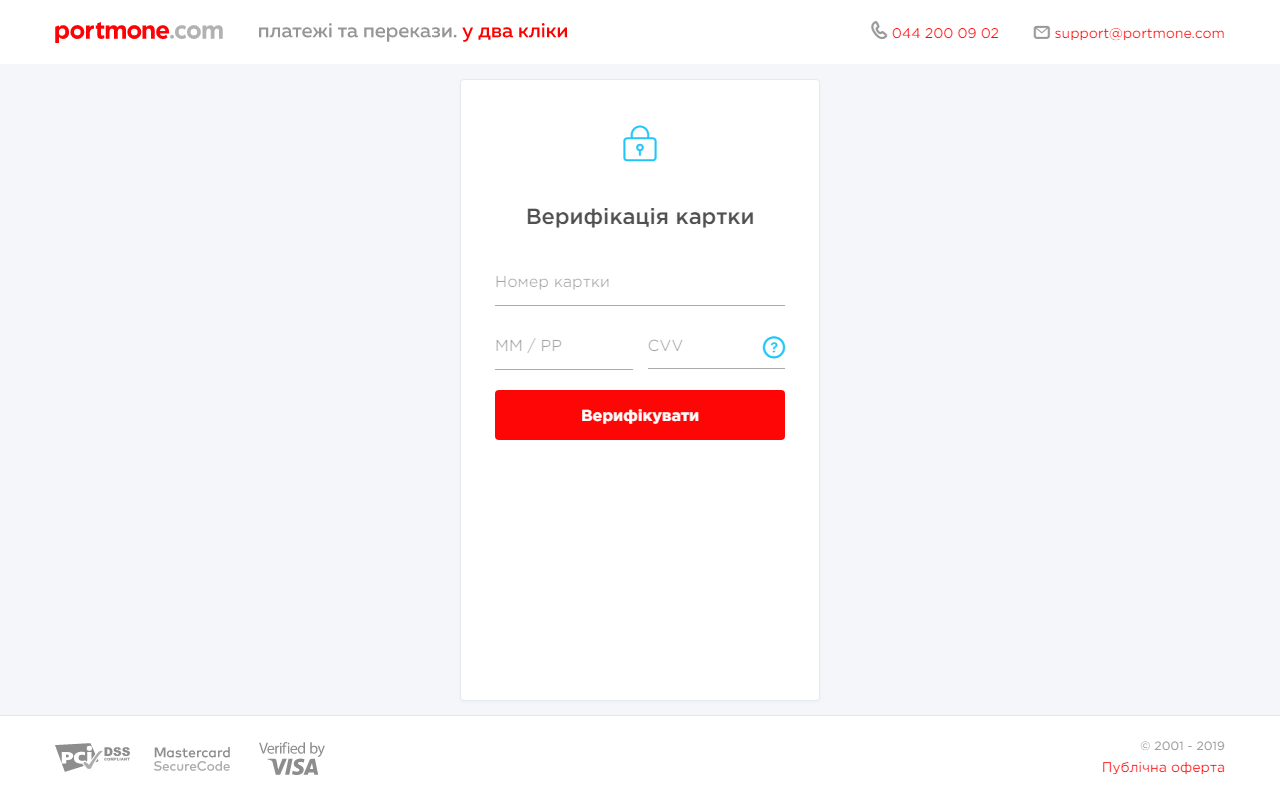
- At the next step the client enters the VCODE (verification code), obtained from the SMS-message sent by the card issuing bank:
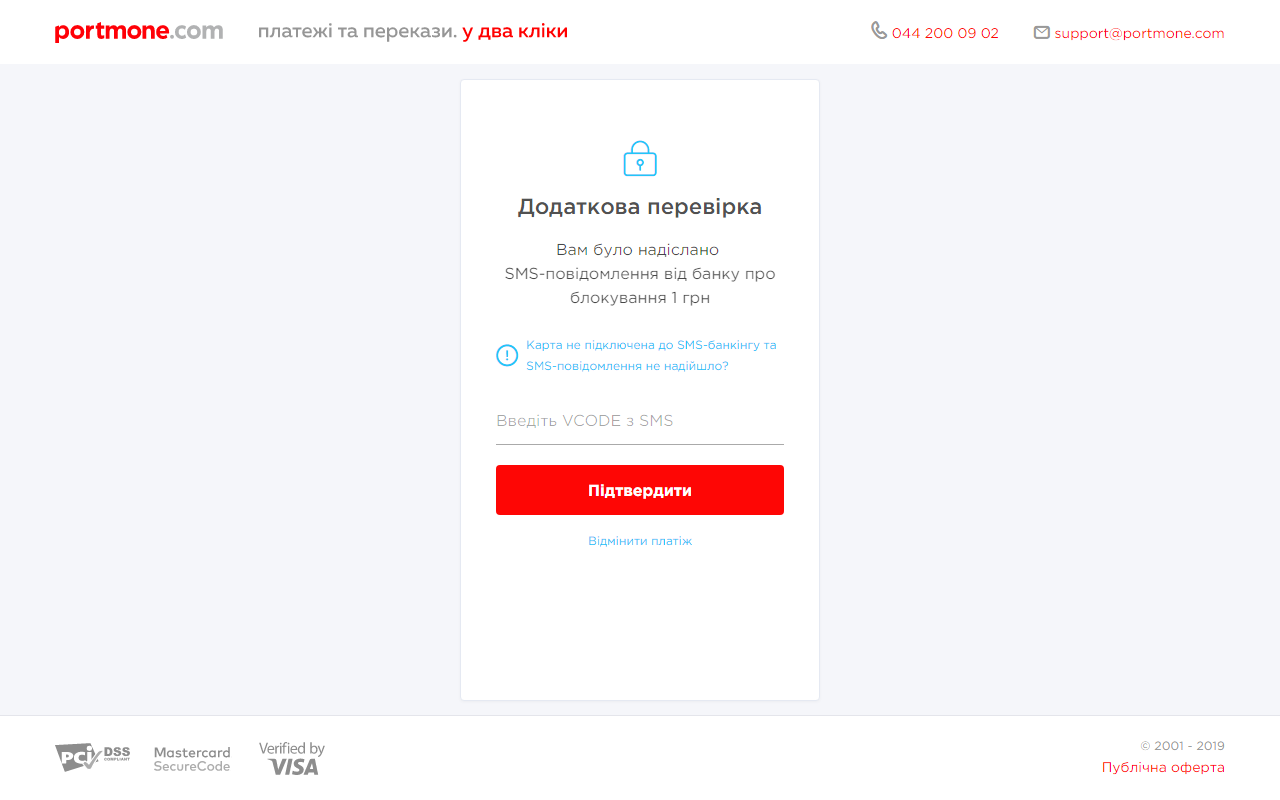
- In case of successful verification the following data will be sent to the
success_urlspecified in the request:
CARD_MASK: 410232******5594
SHOP_BILL_ID: 488377227
RECIPIENT_ID: 45467512
where:
CARD_MASK – client's card mask (first 6 and last 4 digits of the number);
SHOP_BILL_ID – a unique identifier (Id) assigned to every transaction in the Portmone.com system;
RECIPIENT_ID – Id of the recipient in the Portmone.com system.
3.2. Replenishment of the customer's card
Using the PortmoneDirect protocol, follow these steps for crediting funds to the card:
- Call the bills.create method with the following parameters:
| Parameter | Description |
|---|---|
| login | Your company login in the Portmone.com system |
| password | Your company password in the Portmone.com system |
| method | A name of the method – bills.create |
| payeeId | ID of the payee company |
| contractNumber | Client's card mask (first 6 and last 4 digits of the number in 444433XXXXXX1111 format) |
| attribute1 | It should be equal to the recipient_id value received in the verification response |
| attribute2 | It should be equal to the shop_bill_id value received in the verification response |
| payer_iban or payer_card_number | the sender's iban, who initiates the transfer, takes the value of 29 characters ------------------------------------------------------------------------------ The card, the sender, who initiates the transfer, takes the value of 16 digits |
In response, an invoice for the amount of 0 UAH will be generated with the assignment of a unique identifier – billId.
- Call the bills.pay method using the following parameters:
| Parameter | Description |
|---|---|
| login | Your company login in the Portmone.com system |
| password | Your company password in the Portmone.com system |
| method | A name of the method – bills.pay |
| billId | Bill ID (the value returned by the bills.create method) |
| amount | Amount to be paid (amount that will be credited to the card) |
- Call the bills.get method to get transaction status information:
| Parameter | Description |
|---|---|
| login | Your company login in the Portmone.com system |
| password | Your company password in the Portmone.com system |
| method | A name of the method – bills.get |
| billId | Bill ID (the value returned by the bills.create method) |
Important! The response that the Portmone.com system returns to the status request using the bills.get method contains additional information about the success of funds transfer from our acquirer – the attribute
payee_export_flag.If the bill has
status=’PAYED’, butpayee_export_flag = ’E’, it means that the payment by the bill is accepted, but the funds have not yet been credited to the client (the bill is in the process of payment). Therefore, it is necessary to continue to request the bill payment status from the Portmone.com system for a couple of hours until one of the following statuses is received:
status=’PAYED’andpayee_export_flag=’Y’– payment at the acquiring bank side is successful and the funds are credited to the client, orstatus=’CANCELED’– funds cannot be credited to the client’s card.
- Pay attention! When using the card replenishment service, the Partner must obtain a control registry of transactions for a period (day) using the bills.date method and send the registers to the Portmone.com using the bills.paymentOrder method.
3.3. Replenishment of the customer's card by full card number
Using the PortmoneDirect protocol, follow these steps for crediting funds to the card:
- Call the bills.create method with the following parameters:
| Parameter | Description |
|---|---|
| login | Your company login in the Portmone.com system |
| password | Your company password in the Portmone.com system |
| method | A name of the method – bills.create |
| payeeId | ID of the payee company |
| contractNumber | Full recipient card number (for example, 4444333322221111) |
| attribute1 | It should be equal to the recipient_id value received in the verification response |
| attribute2 | It should be equal to the shop_bill_id value received in the verification response |
| payer_iban or payer_card_number | the sender's iban, who initiates the transfer, takes the value of 29 characters ------------------------------------------------------------------------------ The card, the sender, who initiates the transfer, takes the value of 16 digits |
In response, an invoice for the amount of 0 UAH will be generated with the assignment of a unique identifier – billId.
- Call the bills.pay method using the following parameters:
| Parameter | Description |
|---|---|
| login | Your company login in the Portmone.com system |
| password | Your company password in the Portmone.com system |
| method | A name of the method – bills.pay |
| billId | Bill ID (the value returned by the bills.create method) |
| amount | Amount to be paid (amount that will be credited to the card) |
- Call the bills.get method to get transaction status information:
| Parameter | Description |
|---|---|
| login | Your company login in the Portmone.com system |
| password | Your company password in the Portmone.com system |
| method | A name of the method – bills.get |
| billId | Bill ID (the value returned by the bills.create method) |
Important! The response that the Portmone.com system returns to the status request using the bills.get method contains additional information about the success of funds transfer from our acquirer – the attribute
payee_export_flag.If the bill has
status=’PAYED’, butpayee_export_flag = ’E’, it means that the payment by the bill is accepted, but the funds have not yet been credited to the client (the bill is in the process of payment). Therefore, it is necessary to continue to request the bill payment status from the Portmone.com system for a couple of hours until one of the following statuses is received:
status=’PAYED’andpayee_export_flag=’Y’– payment at the acquiring bank side is successful and the funds are credited to the client, orstatus=’CANCELED’– funds cannot be credited to the client’s card.
- Pay attention! When using the card replenishment service, the Partner must obtain a control registry of transactions for a period (day) using the bills.date method and send the registers to the Portmone.com using the bills.paymentOrder method.
4. Error codes list
| Error code | Error message | Description | Method |
|---|---|---|---|
| o001 | Bill creation error | Bill creation error (internal error code) | bills.create |
| o003 | An error occurred while paying the bill | An error occurred while paying the bill | bills.pay |
| o003 | An error occurred while canceling the bill | An error occurred while canceling the bill (Bill not found) | bills.pay |
| o003 | Bill creation error | Bill creation error (internal error code) | Bills.recreate |
| o004 | Error displaying control registry | Error displaying control registry | bills.paymentOrder |
| o006 | Error displaying company balance | Error displaying company balance | bills.balance |
| o010 | No payees for login | Error while searching company | bills.additionalPayees |
| p03 | Invalid customer identification parameters | An error occurred while paying the bill | bills.pay |
| p001 | Invalid method name | Invalid method name | All methods |
| p002 | Invalid login/password | Invalid login/password | All methods |
| p003 | Subscription creation error | Subscription creation error (internal error code) | bills.create |
| p003 | System error. Please contact technical support for assistance. | System error. Please contact technical support for assistance. | bills.recreate |
| p003 | Bill to update not found. | Bill to update not found. | bills.recreate |
| p003 | The bill to be updated is unpaid. | The bill to be updated is unpaid. | bills.recreate |
| p003 | The company allows balance top-ups. Please use the standard method for obtaining bills. | The company allows balance top-ups. Please use the standard method for obtaining bills. | bills.recreate |
| p003 | You already have an unpaid bill [BILL_ID=XXXXXX] | You already have an unpaid bill [BILL_ID=XXXXXX] | bills.recreate |
|p004|Updating counter parameters error|Updating counter parameters error|bills.pay|
|p005|The subscription has "ERROR" status|The billing company returned an error message for this subscription, or when attempting to repeat the subscription with incorrect details|bills.create|
|p006|Company doesn’t exist|There is no billing company with such ID in the Portmone.com database|bills.create|
|p007|Subscription created. Waiting for response from the company.|A subscription is created (“CREATED”), but there is no confirmation from the billing company that the provided information is valid (if the billing company responds that the information sent is not correct, the subscription status will be changed to “ERROR”).|bills.create|
|p008|You do not have any unpaid bills. Wait for invoice from your service provider.|Subscription created but no bills yet |bills.create|
|p009|The bill doesn’t exist|There is no bill with such ID in the Portmone.com database (internal error code)|bills.get|
|p010|No bills for date|No bills for this date (internal error code)|bills.date
bills.exported|
|p011|Empty or damaged registry received|Empty or damaged registry received|bills.paymentOrder|
|p012|Empty POST|Received POST array is empty|All methods|
|p014|Company quota exceeded|Company quota exceeded (internal error code)|bills.pay|
|p015|Error when checking the validity of the subscription|Returned when details of the previously created subscription are no longer valid (for example, the phone number is deactivated by the biller) (internal error code)|bills.create|
|p015|Invalid date format|Invalid date format (internal error code)|bills.date
bills.exported|
|p017|Error requesting bill information|It is impossible to obtain information about the bill (for example, the bill is currently blocked by the payment session) (internal error code)|bills.get|
|p018||To get bills for this company, you must use the bills.createAll method|bills.create|
|p019||A general error for all search.* methods|search.*|
|p022|Reference not found|A general error for all search.* methods|search.*|
|p032|Error while searching data. You may try to find apartments by private house|Error while searching data. Data (apartments) not found|search.apartmentsByHouse, search.apartmentsByHouseExtended|
|p033|The phone number format must match the format +38ХХХХХХХХХХ|
|p100|Internal database error|Internal system error. When this error occurs, a mandatory subsequent call to the bills.get, method is required, since in this case the bill status is unknown – the bill can be either paid or not paid.|All methods|
5. Examples
An example of using PortmoneDirect methods for getting a customer's geographic information (region, city, street, house and/or apartment IDs)
Search by address: м. Київ, проспект Бажана, буд. 1а, кв.4 (Kyiv, Mykoly Bazhana Ave, 1A, 4)
1. Searching for Kyiv region (searchQuery=Ки)
POST method=search.regionsExtended&login=login&password=password&version=2&searchQuery=Ки
Result: regionId = 44
2. Search for Kyiv city in the Kiev region (regionId = 44, searchQuery=Ки)
POST method=search.citiesByRegionExtended&login=login&password=password&version=2®ionId=44&searchQuery=Ки
Result: cityId = 22
3. Search for a street in the city (cityId = 22, searchQuery=баж)
POST method=search.streetsByCityExtended&login=login&password=password&version=2&cityId=22&searchQuery=баж
Result: streetId = 3059
4. Search for a house on the street (streetId = 3059, searchQuery=1а)
POST method=search.housesByStreetExtended&login=login&password=password&version=2&streetId=3059&searchQuery=1а
Result: houseId = 1905560, hasApartments = Y
5. Search for an apartment in the house (houseId = 1905560, searchQuery=4)
POST method=search.apartmentsByHouseExtended&login=login&password=password&version=2&houseId=1905560&searchQuery=4
Result: apartmentId = 7284220
6. Getting a list of bills by the address (addressId = apartmentId = 7284220)
POST method=search.userDocsByAddress&login=login&password=password&version=2&addressId=7284220
In case of using method search.userDocsByAddress the response contains bills with full match by address only - <MATCH_TYPE>FULL</MATCH_TYPE>
<rsp status="ok">
<docs>
<doc>
<addressId>234</addressId>
<payeeId>9238</payeeId>
<contractNumber>3201001300005250</contractNumber>
<attribute1/>
<attribute2>обл Київська,,м. Бровари,вул. БРОВАРСЬКОЇ СОТНІ,буд 3,,</attribute2>
<attribute3/>
<attribute4/>
<matchType>FULL</matchType>
...
In case of using method companies.top10ByAddress the response contains bills with both full and partial match by address
<rsp status="ok">
<companies>
<company>
<PAYEE_ID>6813</PAYEE_ID>
<NAME>Триолан</NAME>
<CONTRACT_NUMBER/>
<CONTRACT_NUMBER_TITLE>Номер договора</CONTRACT_NUMBER_TITLE>
<CONTRACT_NUMBER_TYPE>C</CONTRACT_NUMBER_TYPE>
<CONTRACT_NUMBER_SIZE/>
<ATTRIBUTE1/>
<ATTRIBUTE1_TITLE/>
<ATTRIBUTE1_TYPE>C</ATTRIBUTE1_TYPE>
<ATTRIBUTE1_SIZE/>
<ATTRIBUTE1_FOR_INFO>N</ATTRIBUTE1_FOR_INFO>
<ATTRIBUTE2/>
<ATTRIBUTE2_TITLE/>
<ATTRIBUTE2_TYPE>C</ATTRIBUTE2_TYPE>
<ATTRIBUTE2_SIZE/>
<ATTRIBUTE2_FOR_INFO>N</ATTRIBUTE2_FOR_INFO>
<ATTRIBUTE3/>
<ATTRIBUTE3_TITLE/>
<ATTRIBUTE3_TYPE>C</ATTRIBUTE3_TYPE>
<ATTRIBUTE3_SIZE/>
<ATTRIBUTE3_FOR_INFO>N</ATTRIBUTE3_FOR_INFO>
<ATTRIBUTE4/>
<ATTRIBUTE4_TITLE/>
<ATTRIBUTE4_TYPE>C</ATTRIBUTE4_TYPE>
<ATTRIBUTE4_SIZE/>
<ATTRIBUTE4_FOR_INFO>N</ATTRIBUTE4_FOR_INFO>
<IMAGE>triolan.png</IMAGE>
<MATCH_TYPE>PARTIAL</MATCH_TYPE>
...
It is necessary to request bills.create or bills.createAll by received bills with full match by address by received bill IDs.
It is necessary to ask a user to fill required contractNumber parameters for receiving the bill of corresponding payeeId by received bills with partial match by address.
Using R-type dictionaries
(selecting the payee to pay a unified tax as individual entrepreneur in Darnytskyi district of Kiev for test company with payee id = 23782)
1. Getting the information about company (the bills.payees method)
Request:
method=bills.payees&login=login&password=password&version=2
Response:
<rsp status="ok">
    ...
    <payee id="23782">
        ...
        <name>Єдиний податок з фіз. осіб підприємців</name>
        <contract_number_type>R</contract_number_type>
        <related_references>
            <reference id="1180" order_number="1">
                Регіон:
            </reference>
            <reference id="1183" order_number="2">
                Найменування отримувача:
            </reference>
            <reference id="4308" order_number="3">
                Населений пункт/район:
            </reference>
        </related_references>
        <contract_number_size>4308</contract_number_size>
        ...
    </payee>
    ...
</rsp>
Result: use a list of dictionaries from the payee/related_references block for payee id = 23782 – reference id = 1180, reference id = 1183, reference id = 4308
2. Getting the superior hierarchy level data – selecting the region to pay tax (referenceId = 1180, parentReferenceId is empty)
Request:
?method=bills.getreference&referenceId=1180&parentReferenceId=
Response:
 <rsp status="ok">
    <reference id="1180">
        <items>
            <item id="42809">
                <name>м. Київ</name>
                <description/>
                <parent_item_id/>
            </item>
            ...
        </items>
    </reference>
</rsp>
Result: select the superior hierarchy level item from the response – item id = 42809 (Kyiv)
3. Getting the next hierarchy level data – selecting the district to pay tax (referenceId = 1183, parentReferenceId = 42809)
Request:
method=bills.getreference&referenceId=1183&parentReferenceId=42809
Response:
<rsp status="ok">
    <reference id="1183">
        <items>
            ...
            <item id="705301">
                <name>УК у Дарн.р-ні</name>
                <description/>
                <parent_item_id>42809</parent_item_id>
            </item>
            ...
        </items>
    </reference>
</rsp>
Result: select an item of the current hierarchy level from the response – item id = 705301 (Treasury department in Darnytskyi district)
4. Getting the next hierarchy level data – selecting the final payee (referenceId = 4308, parentReferenceId = 705301)
Request:
method=bills.getreference&referenceId=4308&parentReferenceId=705301
Response:
<rsp status="ok">
    <reference id="4308">
        <items>
            <item id="849062">
                <name>Дарниц.р-н/18050400</name>
                <description/>
                <parent_item_id>705301</parent_item_id>
            </item>
        </items>
    </reference>
</rsp>
Result: select an item of the end hierarchy level from the response – item id = 849062 (Darnytskyi district/18050400)
5. Bill creation (the bills.create method, payeeId = 23782, contractNumber = 849062) and payment (the bills.pay method)
The result of using R-type dictionary is the identifier obtained at the end hierarchy level – 849062. Use this identifier at the next step to call the bills.create method.
Using L-type dictionaries
(selecting the group of the unified tax for individual entrepreneurs (IE) and tax period to pay a unified tax as IE in Darnytskyi district of Kiev (for test company with payee id = 23782))
1. Getting the information about company (the bills.payees method)
Request:
method=bills.payees&login=login&password=password&version=2
Response:
<rsp status="ok">
    …
    <payee id="23782">
        ...
        <name>Єдиний податок з фіз. осіб підприємців</name>
        <attributes>
            ...
            <attribute2>
                <title>За период</title>
                <type>L</type>
                <size>4311</size>
                <related_references>
                    <reference id="4310" order_number="1">Група:</reference>
                    <reference id="4311" order_number="2">За період:</reference>
                </related_references>
            </attribute2>
        ...
        </attributes>
      ...
    </payee>
    ...
</rsp>
Result: use a list of dictionaries from the payee/attributes/attribute2/related_references block for payee id = 23782 – reference id = 4310, reference id = 4311
2. Getting the superior hierarchy level data – selecting the group of the unified tax for individual entrepreneurs (referenceId = 4310, parentReferenceId is empty)
Request:
method=bills.getreference&referenceId=4310&parentReferenceId=
Response:
  <rsp status="ok">
        <reference id="4310">
            <items>
                <item id="832244">
                    <name>1 группа</name>
                    <description/>
                    <parent_item_id/>
                </item>
                <item id="832245">
                    <name>2 группа</name>
                    <description/>
                    <parent_item_id/>
                </item>
                <item id="832247">
                    <name>3 группа</name>
                    <description/>
                    <parent_item_id/>
                </item>
            </items>
        </reference>
    </rsp>
Result: select the superior hierarchy level item from the response – item id = 832247 (3rd group)
3. Getting the next hierarchy level data – selecting the tax period (referenceId = 4311, parentReferenceId = 832247)
Request:
method=bills.getreference&referenceId=4311&parentReferenceId=832247
Response:
 <rsp status="ok">
        <reference id="4311">
            <items>
                <item id="832280">
                    <name>1-й квартал</name>
                    <description/>
                    <parent_item_id>832247</parent_item_id>
                </item>
                <item id="832281">
                    <name>2-й квартал</name>
                    <description/>
                    <parent_item_id>832247</parent_item_id>
                </item>
                <item id="832282">
                    <name>3-й квартал</name>
                    <description/>
                    <parent_item_id>832247</parent_item_id>
                </item>
                <item id="832283">
                    <name>4-й квартал</name>
                    <description/>
                    <parent_item_id>832247</parent_item_id>
                </item>
            </items>
        </reference>
    </rsp>
Result: select an item of the end hierarchy level from the response – item id = 832247 (4th quarter)
5. Bill creation (the bills.create method, payeeId = 23782, attribute2 = 4-й квартал) and payment (the bills.pay method)
The result of using L-type dictionary is the attribute value obtained at the end hierarchy level – 4-й квартал. Use this value at the next step to call the bills.create method.
6. Testing
Web-interface API PortmoneDirect: https://direct.portmone.com.ua/api/.
Endpoint URL: https://direct.portmone.com.ua/api/directcash/.
Login and password for testing:
login — PortmoneDirectTest password — PortmoneDirect
To simulate system failures (timeouts, etc.), for the PORTMONEDIRECTTEST2 test login, a randomly occurring timeout was added to the bills.pay method (the probability of response is approximately 40%). It should be noted that in the event of a timeout, the bill on the Portmone side can be either paid or not paid.
Login and password for testing with imitation of timeouts:
login — PORTMONEDIRECTTEST2 password — Direct2
At the testing stage (for the PortmoneDirectTest login), three billing companies are available: GIVC (payeeId = 22494), Volia TV and/or Internet (payeeId = 6968) and Vodafone (payeeId = 10196). These three billers illustrate three types of business logic:
- Billers that do not bill periodically (for example, mobile operators (MTS-Ukraine)).
- Billers that bill periodically and allow balance recharge (for example, Volia Broadband).
- Billers that bill periodically and do not allow balance recharge (for example, GIVC).
Accordingly, when calling the bills.create method:
- For billers of the first type – with each request a new bill is always created for a zero amount.
- For billers of the second type – if there is already a bill issued by the biller in the Portmone system, we return this bill (for the amount issued by the biller), if not, create a new one with a zero amount.
- For billers of the third type – if there is already a bill issued by the biller in the Portmone system, we return this bill (for the amount issued by the biller), if not, generate an error message “p008 – You do not have any unpaid bills. Wait for invoice from your service provider.”.
Attachment 1. Description of XML-structure
This XML is returned when calling bills.create, bills.pay and bills.get methods.
<?xml version="1.0" encoding="utf-8"?>
<rsp status="">
    <bill id="id">
        <payee id="id"> Company name </payee>
        <contractNumber title="title"> Contract number or phone number (for phone
        number – 9 digits) </contractNumber>
        <attribute1 title="title"> Additional attribute value (for example, “710”)
        </attribute1>
        <attribute2 title="title" />
        <attribute3 title="title" />
        <attribute4 title="title" />
        <bill_attribute1 />
        <bill_attribute2 />
        <bill_attribute3 />
        <bill_attribute4 />
        <date>DD.MM.YYYY</date>
        <description />
        <amount />
        <debt />
        <sum>amount + debt</sum>
        <period />
        <status />
        <paidAmount />
        <payDate>DD.MM.YYYY hh24:mi:ss</payDate>
        <payee_export_flag>Y</payee_export_flag>
        <auth_сode />
        <transaction_id />
        <payment_point>payment_point</payment_point>
        <tariff_items>
            <item id="id">
                <name />
                <name_ua />
                <name_eng />
                <code />
                <sub_code />
                <tariff />
                <tariff_state /> <!-- protocol version – 2 -->
                <tariff_name />  <!-- protocol version – 2 -->
                <counter />
                <counter_state /> <!-- protocol version – 2 -->
                <counter_name />  <!-- protocol version – 2 -->
                <prev_counter />
                <prev_counter_state />  <!-- protocol version – 2 -->
                <prev_counter_name />   <!-- protocol version – 2 -->
                <subsidy />
                <subsidy_state />  <!-- protocol version – 2 -->
                <subsidy_name />   <!-- protocol version – 2 -->
                <debt />
                <debt_state />  <!-- protocol version – 2 -->
                <debt_name />   <!-- protocol version – 2 -->
                <amount />
                <negative_amount />  <!-- protocol version – 2 -->
                <amount_state />     <!-- protocol version – 2 -->
                <amount_name />      <!-- protocol version – 2 -->
                <counter_accuracy />
                <pay_different_amount />
                <attribute1 />
                <attribute1_state />   <!-- protocol version – 2 -->
                <attribute1_name />    <!-- protocol version – 2 -->
                <attribute2 />
                <attribute2_state />   <!-- protocol version – 2 -->
                <attribute2_name />    <!-- protocol version – 2 -->
                <attribute3 />
                <attribute3_state />   <!-- protocol version – 2 -->
                <attribute3_name />    <!-- protocol version – 2 -->
                <attribute4 />
                <attribute5 />
                <attribute6 />
                <attribute7 />
                <attribute8 />
                <attribute9 >
                <attribute10 />
                <description />
                <calculated />      <!-- protocol version – 2 -->
            </item>
        </tariff_items>
    </bill>
</rsp>
| Parameter | Description |
|---|---|
| rsp status | Response status. Possible values are: "ok" – everything is Ok, "fail" – an error occured |
| bill id | Bill ID |
| payee id | Company ID – transferred in bills.create request |
| contractNumber title | For example, "Phone number (+380)" |
| attribute1 title | Attribute1 appointment (name) (for example, “Number of the housing office”). Depends on the organization |
| attribute2 | Attribute2 name. Depends on the organization |
| attribute3 | Attribute3 name. Depends on the organization |
| attribute4 | Attribute4 name. Depends on the organization |
| bill_attribute1-4 | Additional bill parameters (Kyivstar receipt number, etc.). Depends on a biller |
| date | Bill creation date. Format: DD.MM.YYYY |
| description | Bill description |
| amount | Amount of payment. Use dot (“.”) as the decimal separator |
| debt | Debt. If the bill has an overpayment, this field contains a minus sign |
| sum | Amount to be paid, usually equals to amount + debt |
| period | Bill period (in the biller format) |
| status | Bill status. Possible values are: "created", "payed", "canceled", "return" |
| paidAmount | Amount actually paid (it may differ from the one proposed in the bill) |
| payDate | Date of payment. Format: DD.MM.YYYY hh24:mi:ss |
| payee_export_flag | Shows whether the billing information has been transferred to the biller or not. Possible values are: "Y" – information successfully transferred; "N" – no transfer attempts have yet been made; "E" – an error occurred during the last attempt; "B" – sending is blocked (for example, at the request of the bank); "R" – the transaction is reversed (for those billers who can do a reverse); "" – for those companies for which the transfer is not carried out. |
| auth_сode | Payment instruction date in DD.MM.YYYY format |
| transaction_id | Transaction ID – is transferred when payment is made |
| payment_point | Unique description of a partner’s point of sale – transferred to us upon payment |
Further optional tags:
"Universal" items (previously called counters):
The %_state fields can have three values:
- "N" – the column should not be displayed;
- "V" – the column and its content are displayed to the client without a possibility of editing;
- "E" – the column and its content are displayed to the client with a possibility of editing.
The tariff_state attribute can be W_%. Type means that the tariff may depend on volumes.
Example:
- "W" – the need to calculate the service for electricity,
- "W_GAZ" – the need to calculate gas service.
- "W_Y" – the need to calculate light service.
In this case, the column should not be displayed and helpers can be used to calculate the cost of payment.
| Parameter | Description |
|---|---|
| tariff_items | Editable and not editable counters |
| item id | Service ID |
| name | Service name (in Russian) (all protocol versions) |
| name_ua | Service name (in Ukrainian) (protocol version – 1) |
| name_eng | Service name (in English) (protocol version - 1) |
| code | Service code |
| sub_code | Service subcode |
| tariff | Tariff value in UAH |
| tariff_state | Column type (protocol version – 2 and more) |
| tariff_name | Column heading (in Ukrainian) (protocol version – 2 and more) |
| counter | Current counter value |
| counter_state | Column type (protocol version – 2 and more) |
| counter_name | Column heading (in Ukrainian) (protocol version – 2 and more) |
| prev_counter | Previous counter value |
| prev_counter_state | Column type (protocol version – 2 and more) |
| prev_counter_name | Column heading (in Ukrainian) (protocol version – 2 and more) |
| subsidy | Subsidy in UAH |
| subsidy_state | Column type (protocol version – 2 and more) |
| subsidy_name | Column heading (in Ukrainian) (protocol version – 2 and more) |
| debt | Debt in UAH |
| debt_state | Column type (protocol version – 2 and more) |
| debt_name | Column heading (in Ukrainian) (protocol version – 2 and more) |
| amount | The amount of the counter in UAH |
| negative_amount | Indicates whether a negative value can be obtained in the <amount /> tag or not. Possible values are: "N", "Y" (protocol version – 2 and more) |
| amount_state | Column type (protocol version – 2 and more) |
| amount_name | Column heading (in Ukrainian) (protocol version – 2 and more) |
| counter_accuracy | Counter width: "0" – counter values are rounded to the nearest whole number "1" – counter values are rounded to the 1st decimal place "2" – counter values are rounded to the 2nd decimal place "3" – counter values are rounded to the 3rd decimal place "4" – counter values are rounded to the 4th decimal place |
| pay_different_amount | Is it possible to pay an amount which differs from the received one. Only relevant for protocol version 1.0 (in later versions, to decide whether the data can be changed or not, take into account tag values with the "_state" suffix, for example, <amount_state> for the amount of the counter). Possible values are:"N" – the amount of the counter was already taken into account in the total of the bill (the counter does not need to be transferred when paying) "Y" – the counter amount was calculated and added to the bill amount (the counter is transferred when paying) |
| attribute1 | Optional tag (depends on a biller) |
| attribute1_state | Column type (protocol version – 2 and more) |
| attribute1_name | Column heading (in Ukrainian) (protocol version – 2 and more) |
| attribute2 | Optional tag (depends on a biller) |
| attribute2_state | Column type (protocol version – 2 and more) |
| attribute2_name | Column heading (in Ukrainian) (protocol version – 2 and more) |
| attribute3 | Optional tag (depends on a biller) |
| attribute3_state | Column type (protocol version – 2 and more) |
| attribute3_name | Column heading (in Ukrainian) (protocol version – 2 and more) |
| attribute4-10 | Optional tags (depends on a biller) |
| description | Counter description |
| calculated | Shows whether the amount of an item should be calculated by the formula or not (you can simply pass an arbitrary value through the amount). Possible values are:"Y" – use formula: ( counter - prev_counter) * tariff – subsidy;"N" – arbitrary value (protocol version - 2 and more) |